What Your Corporate Digitization Vendor Isn't Telling You About File Formats and Future Access
Corporate digitization vendors rarely explain format obsolescence. Here's what they're not saying about long-term access.
Contents
You send your family photos to a digitization service. Three weeks later, a hard drive arrives with thousands of files. But fifteen years from now, when your daughter asks to see her grandfather's military photos, will those files still open? The digitization industry has a disclosure problem: vendors optimize for their operational efficiency, not your multi-generational access. They'll mention file formats in passing, using terms like "high-quality JPEG" that sound reassuring but mean nothing specific. What they won't explain is that format choices made today directly determine whether your digitized memories remain accessible in 2045.
Which file formats protect photographs for decades?
The Library of Congress has outlined acceptable formats for the long-term preservation of visual materials in centuries to come. Uncompressed TIFF files are currently the most stable format for preservation. The decisions on acceptable formats for preservation are not based on aesthetics, but on the way information about an image is stored. For example, TIFF files for images store the image data without taking any shortcuts to reduce file size, which would result in information irretrievable in the future. JPEG files, for example, photographs, discard information about the image in order to reduce the file size. This information is never to be retrieved again. Every time a JPEG file is opened and then saved again, the file is once again compressed and degraded in quality.
For family photo preservation, the archival hierarchy works like this: uncompressed TIFF at the scanning resolution provides the master archive. JPEG-2000 (lossless mode) offers a compressed alternative with no quality loss, though software support remains inconsistent. Standard JPEG works for access copies you'll view and share, but never as the only version. PNG provides lossless compression for graphics and screenshots but lacks the metadata architecture photographers need. The National Archives specifies TIFF as their preferred format for transferred image records, with JPEG-2000 as an acceptable alternative only when file sizes become prohibitive.
- Uncompressed TIFF files preserve maximum image data without quality loss over time
- JPEG compression is irreversible, each save cycle degrades the image further
- JPEG-2000 lossless mode provides compression without quality loss but has limited software support
- Professional services should deliver both archival masters (TIFF) and access copies (JPEG)
- Metadata embedded in files (shooting date, scanner settings, descriptions) is as important as the image itself
- File format specifications from the Library of Congress prioritize long-term stability over convenience
How does JPEG compression destroy image quality over time?
Typically the scanned photograph is saved as a TIFF file. A 600 DPI scanned photograph can be as large as 25-40 MB per file while the JPEG version can be as small as 3-5 MB for maximum quality. JPEG uses 8:1 compression or better. This means that information in the image is lost when saving as a JPEG. This lost image information can take the form of blocky artifacts, banding of color, loss of detail in dark areas, etc. These types of artifacts show up more so in images with subtle tonal changes, detailed textures, and large areas of the same color.
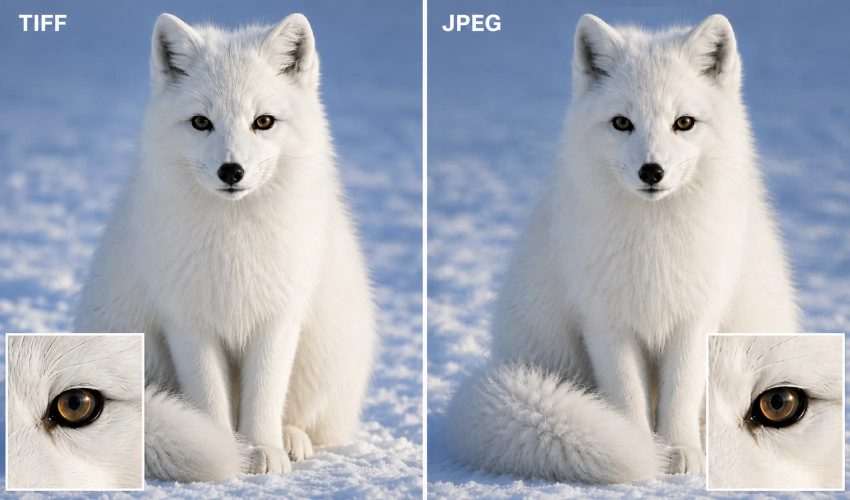
The same source image demonstrates how JPEG compression reduces fine detail like fur texture compared to lossless TIFF preservation.
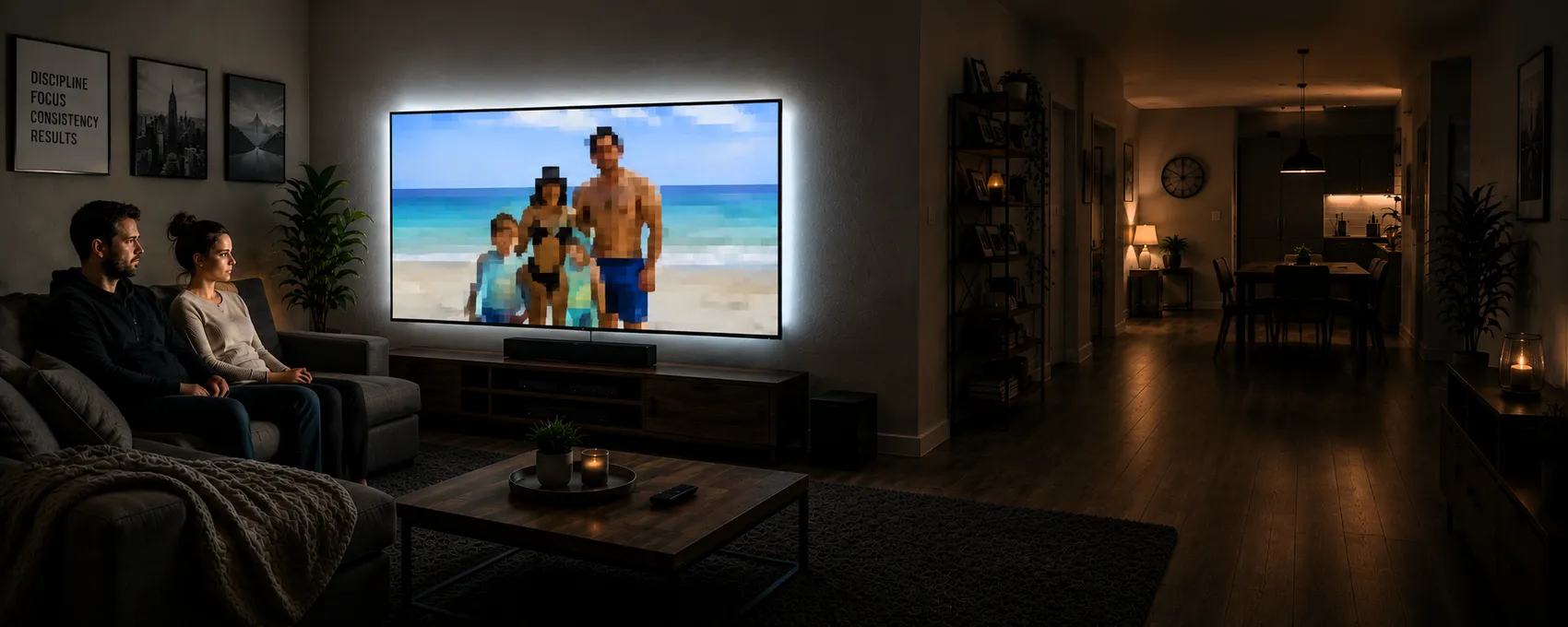
Customers sometimes return after using corporate services elsewhere. They view a father's portrait and notice that zooming reveals a blurred or pixelated face. The original scan may have been high quality, but aggressive JPEG compression destroyed detail in the name of convenience. The uncompressed TIFF contains the same pixel data as the original scan. The file is larger because it preserves all information from the scanning sensor. When that TIFF file opens in 2040 (assuming software exists to read TIFF files), the user will see exactly what was scanned in 2024.
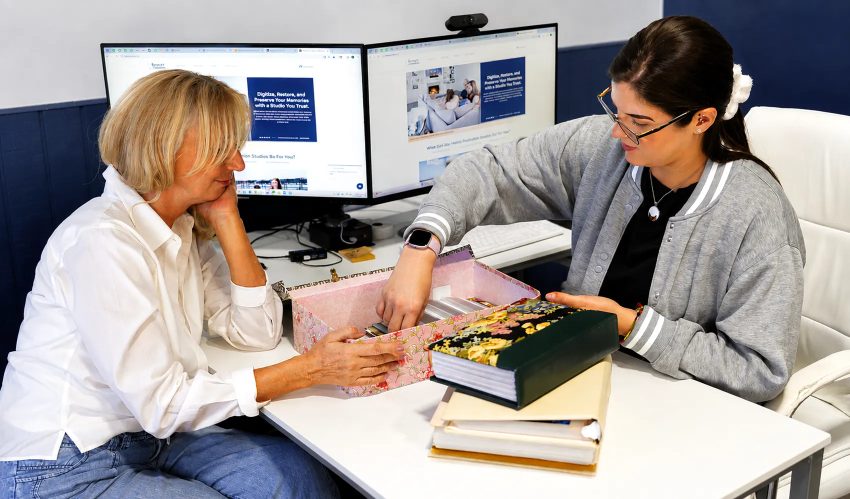
Professional digitization services evaluate your original materials to determine the optimal file formats for long term preservation.
Forever Studios scans loose photographs at 600 DPI and delivers both the uncompressed TIFF master and an optimized JPEG copy. The access copy is included in the price of the preservation master. Loose photos are $0.50 per print. We return originals fully insured. Based in Boca Raton and serving families since 2007.
Forever Studios · Boca Raton, FL
Photo Scanning Service
High-resolution scanning for prints, albums, and loose photos.
LEARN MORE →Why do digital files from 15 years ago refuse to open?
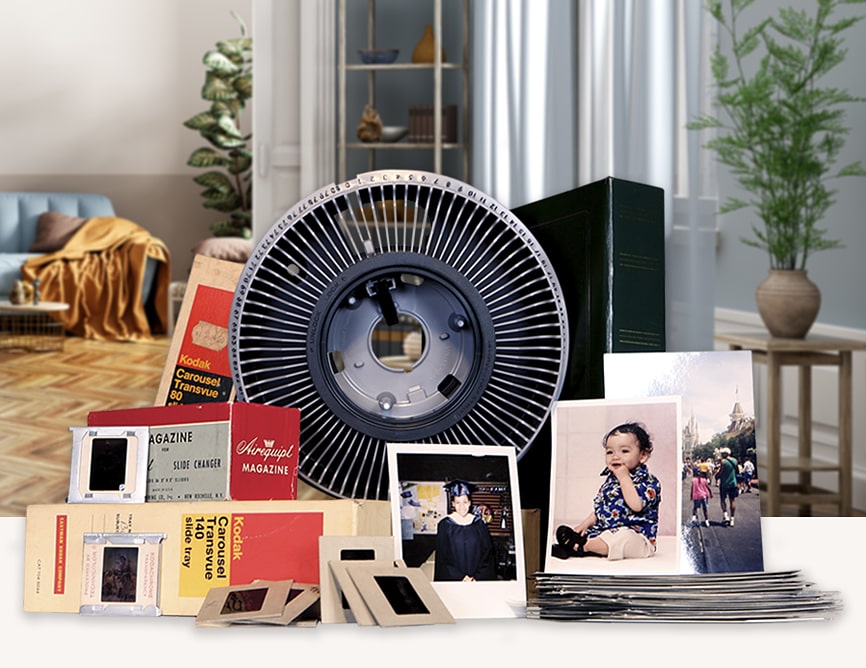
File format obsolescence typically is considered a future problem. Most people believe that today’s files will be migrated to newer formats in a few years. Yet today, already there are existing files that cannot be read using any current software. These files were created by professional photographers using Kodak’s Photo CD files in the 1990s. These files are still around today and require a special piece of software to view them on today’s computers. Files created by designers and developers in the 2000s using Macromedia FreeHand can no longer be opened using current versions of FreeHand or other graphics editors. Finally, Microsoft introduced the Windows Media Photo format (wdp files) with Windows Vista in 2007. Within 5 years, the format had already become largely obsolete.
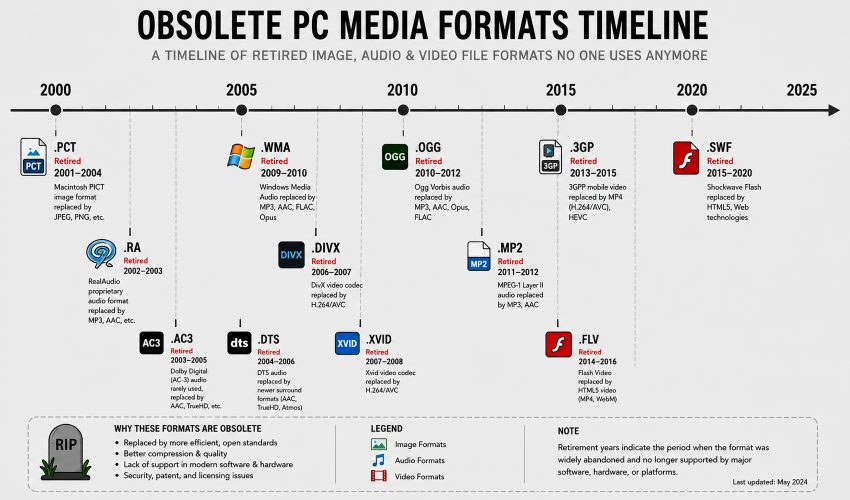
Many digital file formats from the early 2000s have already become inaccessible as supporting software and hardware have been discontinued.
Smithsonian’s Digital Asset Management Guidelines for preservation notes that “file formats that demonstrate transparent documentation of encoding and wide adoption across platforms” are suitable for preservation. This means that the format specification for a given file format must be publicly documented and that there must be more than a few software vendors supporting the format. Therefore, for the most part, proprietary file formats are not suitable for preservation. Instead, large TIFF files are preferred to smaller files in proprietary formats. This is because the format specification for TIFF has been publicly and stably documented since 1986 and there are implementations of TIFF for every major operating system.
"When someone brings us a hard drive full of files they can't open, the problem is almost never corruption. It's that five or ten years ago they chose convenience over stability. The vendor offered a 'space-saving format' or 'optimized files' without explaining that optimization meant proprietary encoding. Now the format is abandoned and the memories are trapped."
Greg E., Lead Preservation Specialist at Forever Studios, Forever Studios
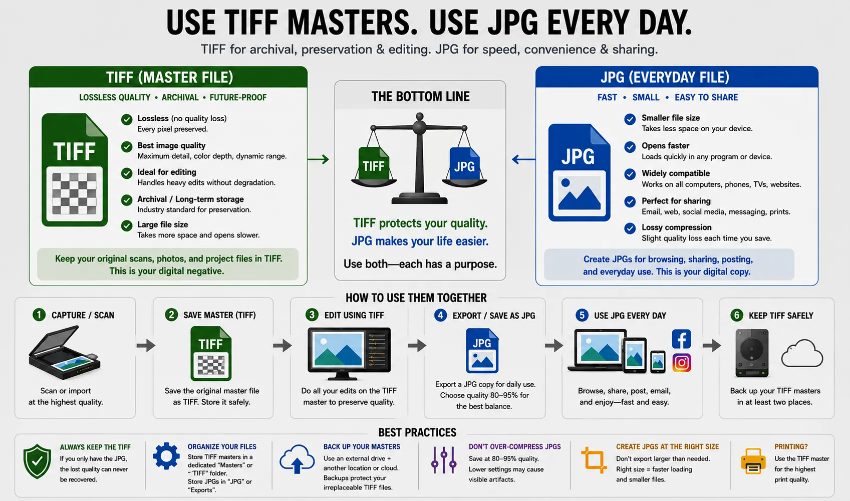
Understanding when to use TIFF master files versus JPG everyday files helps organizations maintain long term access to digitized materials.
What causes file formats to become unreadable?
Format obsolescence refers to files that can no longer be accessed because the necessary software to open them has been discontinued. This can occur for a number of reasons, including a company going bankrupt, a platform ceasing to exist, or changing technical standards. The National Archives and Records Administration (NARA) is tracking the sustainability characteristics of hundreds of file formats. These characteristics include the transparency of a file format’s specification, the extent to which a format is used, a format’s dependence on particular hardware or software, any patent restrictions on a file format, and any technical protection (such as digital rights management or encryption) that is built into a file format. Based on these sustainability characteristics, each file format is assigned a high-risk designation for long-term preservation purposes if it performs poorly with respect to any of them.
Video has been saved as ‘orphaned’ files in various formats. When transferring material from videotapes, files such as Windows Media Video (.wmv) and RealMedia (.rm) were often saved as they were the standard for the industry in the early 2000s. Although it is still possible to play back these files, the software required to support them is gradually becoming less available. Many video files have also been encoded using proprietary codecs. These files require special decoder software in order to be played back. Once the required software can no longer be supported by the operating system then the ‘orphaned’ files exist only in terms of the technical data to allow them to be displayed but there is no way to actually play them back.
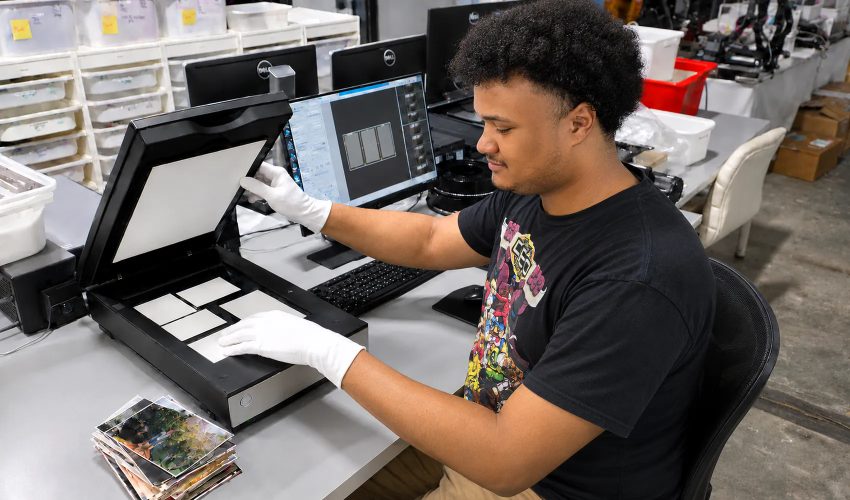
Professional document scanning transforms physical records into digital formats that require ongoing management to ensure accessibility.
The risk of obsolescence is lower for photographs than for documents. Scanning services deliver photographs as RAW files. These are saved in a proprietary format for a specific make of scanner. The best possible image is delivered but only on the basis that the manufacturer of the scanner can continue to support the software needed to open and edit the files. For example, until 2002 Canon saved RAW files as CRW files. These have since been superseded by CR2 files which are currently being replaced by CR3 files. Each time the format of a RAW file is changed by a manufacturer of scanners the software needed to open and edit the files will need to be updated. In the meantime a file created in 2005 as a RAW file using a specific scanner will not open on a system from 2024 unless the owner of the file is able to find software from 15 years previous that can read the files. TIFF files created at the same time as the RAW files will open without problem.
How do I identify a digitization service that uses archival formats?
Ask what format the files will be delivered in. If the answer is vague ("high-quality digital files") or marketing language ("optimized for modern devices"), that's a warning sign. Professional preservation services state exact format specifications: "uncompressed TIFF at scanning resolution, plus JPEG access copies at 85% quality." They can explain why those choices protect long-term access. Corporate vendors often can't, because their workflow prioritizes throughput over preservation. They'll scan at sufficient resolution but compress aggressively to minimize storage costs and speed up file transfer.
Can they deliver the archival masters (i.e. the unedited scan files) as opposed to copies that they have edited for viewing? That business model decision (to charge by the hour of video or the number of photos but then deliver them in a compressed format) means they are optimizing for volume rather than for preservation. If, however, they are charging a slight premium to deliver the unedited scan files in full resolution then they have integrated preservation into their business model. In addition, are the files tagged with the date of the scan, the resolution of the scan, the color space of the scan, and with any other descriptive information that the user has provided?
Forever Studios · Boca Raton, FL
Photo Scanning Service
High-resolution scanning for prints, albums, and loose photos.
LEARN MORE →It’s wise to ask for a service’s format specification sheet (i.e. their technical standards documentation) before you commit to using their service. This should contain information on the service’s scanning resolution, color depth, file type, any compression that has been applied and the color space that has been used (sRGB for stills, although some services may offer to archive in wider color gamuts such as Adobe RGB for critical images). If not, then they are clearly not working to any archival standard.
Do RAW files outlast JPEG for long-term storage?
RAW files capture everything the camera sensor records before any processing occurs. For photography with modern digital cameras, RAW formats (Canon's CR3, Nikon's NEF, Adobe's DNG) preserve maximum flexibility for future editing. But for scanned photographs, the calculation changes. Scanner RAW formats are manufacturer-specific and less standardized than camera RAW formats. A scan stored as scanner-specific RAW may offer marginally better quality than TIFF, but at the cost of requiring that manufacturer's software to open the file.
While Adobe has attempted to address the problem of RAW format fragmentation by releasing their Digital Negative (DNG) files under an open-source RAW specification (DNG is included in the Society of American Archivists’ sustainable format guidelines for example, because the specification for the format is publicly documented and not tied to any single vendor for example), DNG files are not typically used to capture scanned photographs. Instead, uncompressed TIFF files are typically used because they contain all of the data from the scanned photograph, they open universally, and therefore do not have the same problems as are associated with the problem of RAW format fragmentation.
The digital photographs of the documents and the memorabilia can also be stored in RAW format. People who take their own photos with their digital cameras can maintain a format migration strategy for these files. Every 5 to 7 years they have to check whether their RAW files can still be opened with their current software. If the support for a particular format is declining, they can convert their files to the next stable format. For photography enthusiasts this kind of ongoing stewardship of their digital photos is realistic. For families that are digitizing their inherited photo collections, however, storing them in uncompressed TIFF offers the same preservation value without the maintenance.
Which format specifications should I demand from my scanning service?
Ask for your images to be supplied as uncompressed TIFF files at the resolution at which they were scanned. Create JPEG access copies for distribution to family and friends; these can be put on your phone, put on your computer etc. The TIFF files are to be archived on external drives or in the cloud. Working from 35 MB TIFF files is not practical for distribution purposes. Expecting the preservation of your family’s visual history to be done in only compressed file formats is negligent.
600 DPI minimum for photographs, 1200 DPI for slides or negatives that are to be scanned. The resolution of a scan and the format in which it is supplied are closely related. High resolution scans need to be supplied in an uncompressed format in order to ensure that the detail that has been captured is also preserved. In practice, some services that advertise high resolution scans actually supply the images in compressed format. Other services supply the scanned images in uncompressed format but these have been scanned at low resolution. This means that while perfect fidelity is maintained, less information is actually preserved than with a high resolution scan of the same uncompressed format.
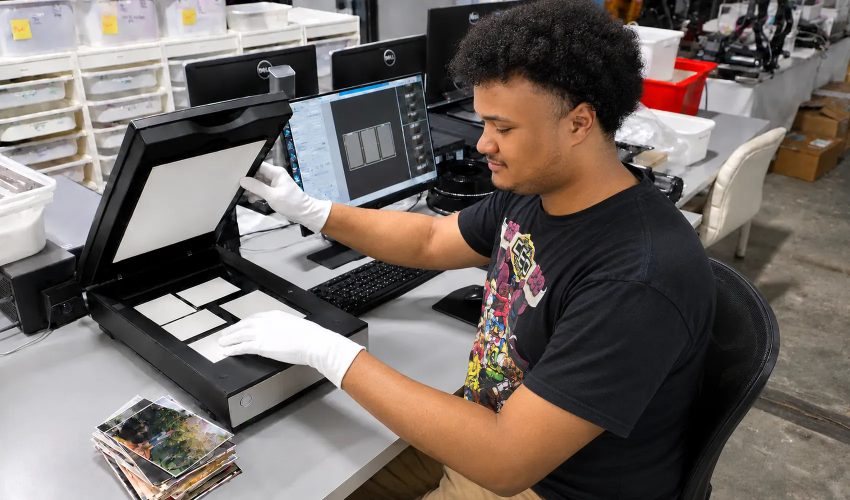
Professional scanning services require clear file format specifications to ensure long-term accessibility of digitized materials.
Ask about color space and bit depth. Standard scanning delivers 8-bit color in sRGB color space, which is adequate for most family photographs. If you're preserving art photography or materials that will undergo professional color correction, 16-bit color depth in Adobe RGB or ProPhoto RGB color space captures additional tonal information. These specifications matter only if you plan to do significant editing. For straightforward preservation of family snapshots, 8-bit sRGB TIFF files provide full archival quality without unnecessary file size increases.
Can I convert JPEG files to TIFF later to improve quality?+
No, information that has been lost due to prior JPEG compression will not be restored by converting a JPEG file to a TIFF file, since the compressed information in the JPEG image is merely re-transmitted in an uncompressed TIFF file container. To retain all the information in an image, it must be scanned or captured in TIFF format from the very start, in order to capture all of the image information at maximum levels.
How much storage space do I need for TIFF archival files?+
A 600 DPI scan of a 4×6 inch photo typically produces a 25-35 MB TIFF file. For 1,000 photos, plan on roughly 30-40 GB of storage. External hard drives and cloud storage at this scale cost less than the scanning project itself, making it a negligible consideration compared to format choice.
Should I keep both TIFF and JPEG versions of every photo?+
For archiving purposes the TIFF Master files should be saved on external backup hard drives. Two copies of the files should be stored in different locations (e.g. in the office and at home). For viewing purposes, for distributing to others, for creating photo books etc. the corresponding JPEG files can be used. Most professional digitization providers deliver both file formats as standard within their services.
★★★★★
"FIles were well organized and played easily on my laptop and smart TV."
George F., verified customer review
How do I future-proof digital files against format obsolescence?
The hard truth about digital preservation: file formats are more stable than storage media, but less stable than paper. A photograph printed in 1952 remains perfectly readable in 2024 without technological intervention. A digital file from 1999 may require format conversion, software archaeology, or expertise to access. This does not mean digitization is flawed; it means digital preservation requires ongoing stewardship rather than one-time completion.
The Association for Information and Image Management establishes industry standards for exactly this scenario: how organizations preserve information assets across technology lifecycles. Their recommendations center on format simplicity, documentation transparency, and avoiding vendor lock-in. These principles apply equally to family photo collections, where the digitization project continues beyond the initial scan. The files arrive, it requires the files arrive. It's complete when you've verified the files open correctly, organized them with meaningful metadata, stored copies in multiple locations, and established a timeline for checking that they remain accessible.
Forever Studios delivers 600 DPI uncompressed TIFF and JPEG copies of your photos for $0.50 per print. We return your originals safely. Serving families since 2007, we maintain our commitment to stable formats, complete documentation, and no proprietary lock-in. The technical decisions made today determine whether your children and grandchildren can view these photos forty years from now. We take that responsibility seriously.

Ready to digitize it right the first time?
Bring your tapes, film, and photos to the team that treats every project as irreplaceable. All work is handled in-house in Boca Raton, never outsourced.