DVD vs CD Disc: Storage Capacity, Longevity, and Which Format Preserves Memories Better
DVDs store 7x more than CDs, but disc quality matters more than format for preserving irreplaceable memories.
Contents
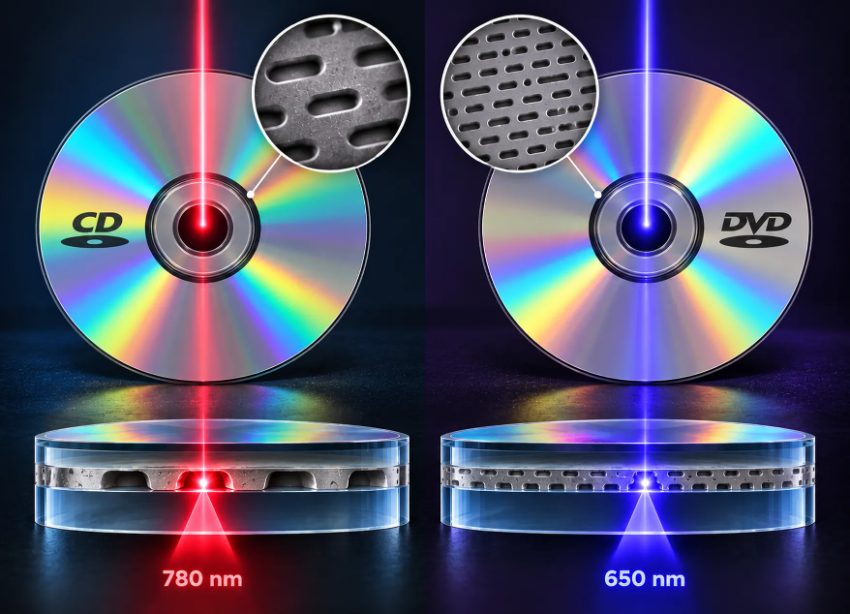
The DVD format uses a shorter wavelength laser than CDs, enabling higher data density and greater storage capacity for preserving media.
- A standard CD holds 700 MB; a single-layer DVD holds 4.7 GB, approximately 7x the capacity
- DVD and CD players use different laser wavelengths (650 nm vs 780 nm) and cannot read each other's formats
- Archival-grade discs rated for 100+ years exist in both formats; consumer-grade discs of either type degrade faster
- High-resolution photo scanning at 600 DPI produces 3-6 MB files per image, a DVD holds roughly 1,000-1,500 such photos, a CD about 150-200
- Longevity depends on dye quality, reflective layer integrity, and storage conditions, not the DVD vs CD label
- Dual-layer DVDs (8.5 GB) and Blu-ray discs (25-50 GB) offer higher capacity but require compatible playback hardware
How Do DVDs and CDs Store Data Differently?
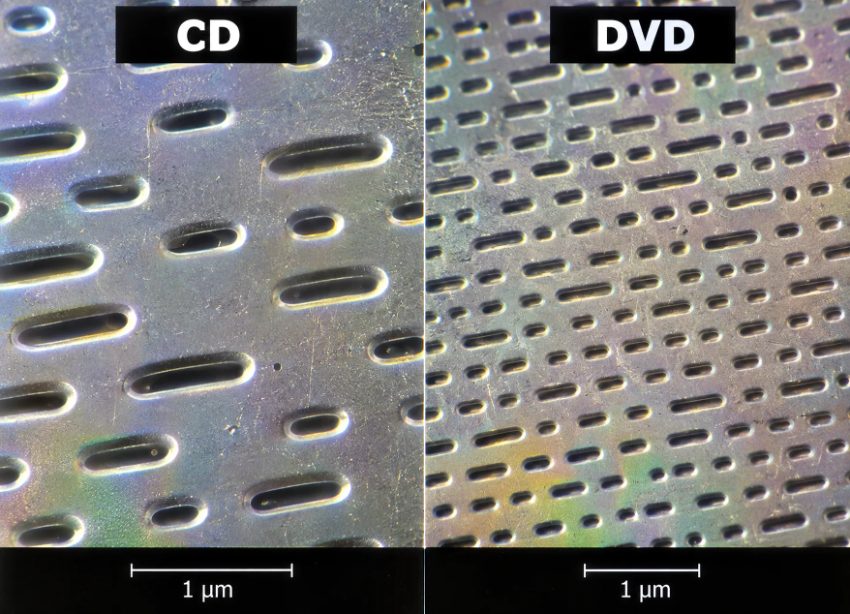
DVDs store data in smaller, more densely packed pits than CDs, enabling higher storage capacity on the same sized disc.
Forever Studios, a photo and video preservation studio in Boca Raton, Florida, frequently explains to clients that DVDs and CDs differ most significantly in how densely they pack data.
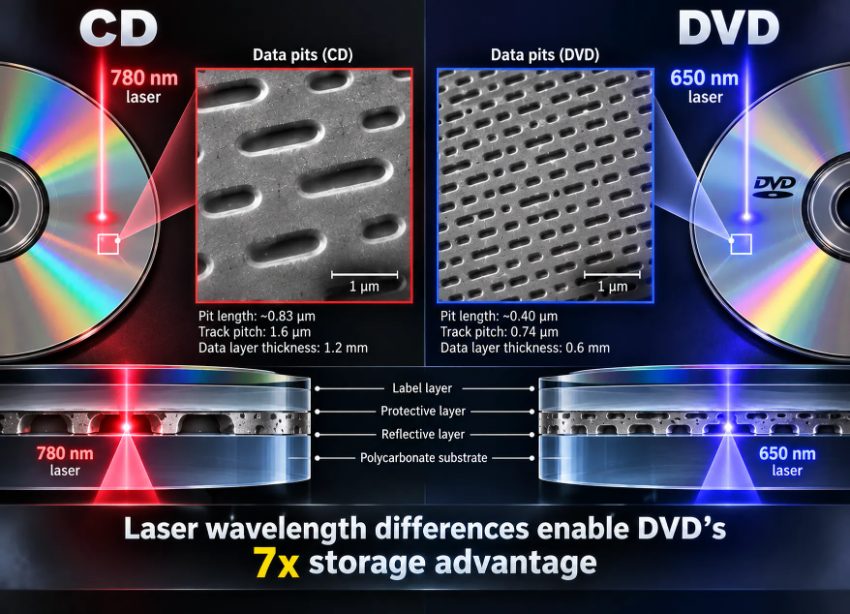
DVDs use shorter wavelength lasers and smaller data pits to achieve higher storage density than CDs.
Can You Play a DVD in a CD Player?
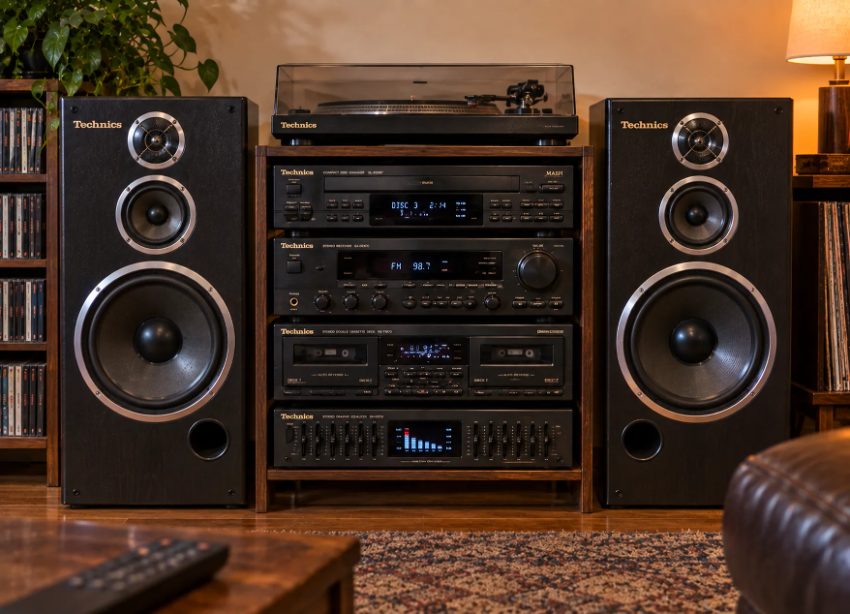
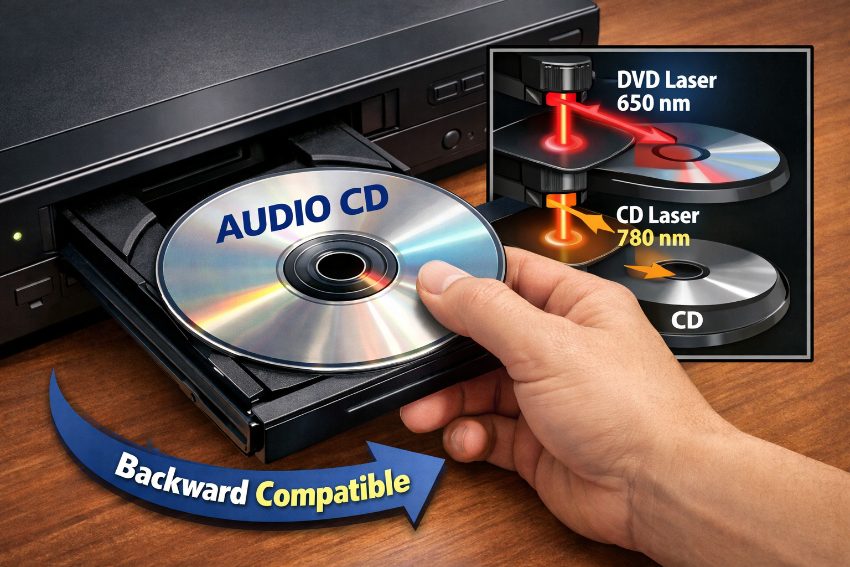
Traditional home audio systems were designed to play CDs through dedicated disc players paired with amplifiers and speakers.
No. A CD player's laser wavelength cannot focus tightly enough to resolve DVD data pits. The CD player will spin the disc, attempt to read, and return an error or no disc detected. DVD players on the other hand can also play CDs. Most DVD players sold after 2000 even explicitly advertise CD playback. There is one exception to this, however: A DVD-ROM drive for a computer can also play CDs. DVD-ROM drivesevices often use a switchable laser as well as unified firmware that can read both formats. Older CD players for audio playback, built before the advent of DVDs (pre-1997) cannot play DVDs. The laser optics of these players are tuned to a fixed wavelength of infrared light and their digital-to-analog converters are set up to play back Red Book formatted audio CDs.
Forever Studios · Boca Raton, FL
DVD & CD Transfer
Home-burned DVDs and CDs copied to MP4 and MP3 before the discs rot.
LEARN MORE →How Much Storage Does a DVD Have Compared to a CD?
A CD typically holds 700MB (or 650MB on older discs). A single-layer DVD holds 4.7GB and a dual-layer DVD holds 8.5GB. Therefore the ratio of CD to single-layer DVD is approximately 6.7:1 and to dual-layer DVD is 12:1. So, in practice, a CD holds about 200 high-resolution photos (scanned at 600DPI) as 3-4MB JPEG files. A single-layer DVD holds about 1,200-1,500 of the same images. For video, a CD can hold very little standard-definition footage, perhaps only 10 minutes of material encoded at very low bitrates to save space. A single-layer DVD, on the other hand, holds up to two hours of standard-definition video encoded at 4-6 Mbps (MPEG-2) - this was the aim when the DVD format was first launched in 1996.
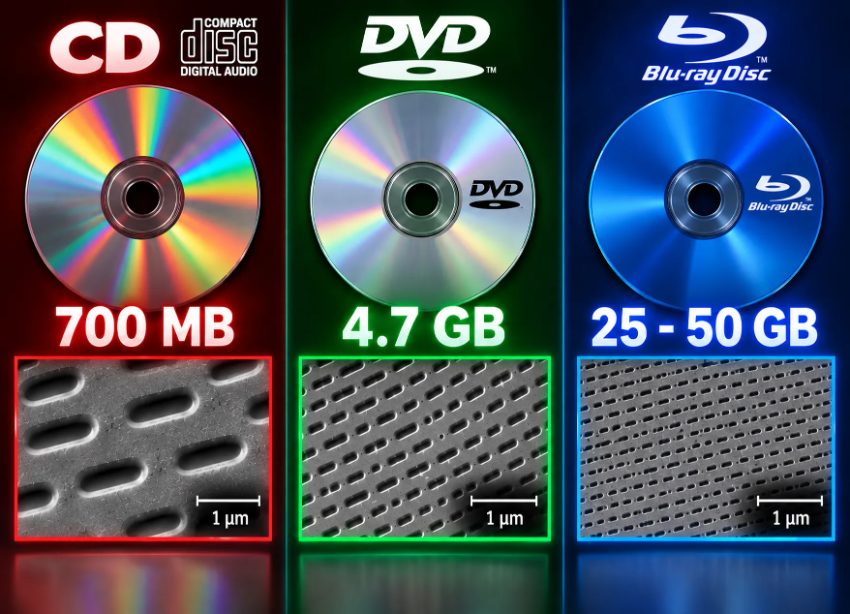
The physical pit structure of optical media determines storage capacity, ranging from 700 MB for CDs to 50 GB for dual-layer Blu-ray discs.
Are DVDs Better Quality Than CDs?
The media quality itself is independent of the chosen storage medium. So the sound stored on Audio CDs is saved in a lossless 16-bit/44.1 kHz stereo specification, which exceeds the human hearing ability. The video on DVDs is saved with MPEG-2 compression and is played back in standard definition. The bitrates vary between 2-9 Mbps. Blu-ray carries videos in 1080p and 4K formats, surpassing DVD's MPEG-2 compression compressed video on DVDs. However, the physical disc itself does not deteriorate the encoded media. Low quality video files will always look bad, whether they are burned to a CD or a DVD. DVDs only offer more storage space, so long videos can be encoded at the same bitrates and thus same quality as on CD.
The reliability of data stored at the bit level on CDs and DVDs is essentially equal and is a function of the underlying error correction code, which is Reed-Solomon for both formats. The data stored on CD and DVD media of the same physical size and configuration will yield identical error rates when tested according to controlled methods, as documented by the Library of Congress in their digital preservation guidelineseservation guidelines. The difference in longevity for disks of the same format size is a result of the quality of the manufacturing and the storage environment rather than any limitations in the format itself. CDs entered widespread consumer use in the early 1980s while DVDs were introduced to the mainstream in late 1990s. DVDs were able to take advantage of higher quality control methods as well as better dyes as they entered the mainstream. This means a high quality archival CD-R from 2005 will generally last longer than a typical DVD-R from 2005. It’s also worth noting that we are here talking about format, and media grade. A format is a technical standard for a medium of storage. A medium grade refers to the quality of individual media, like archival quality CD-Rs versus general CD-RWs.
Which Lasts Longer: DVD or CD Disc?
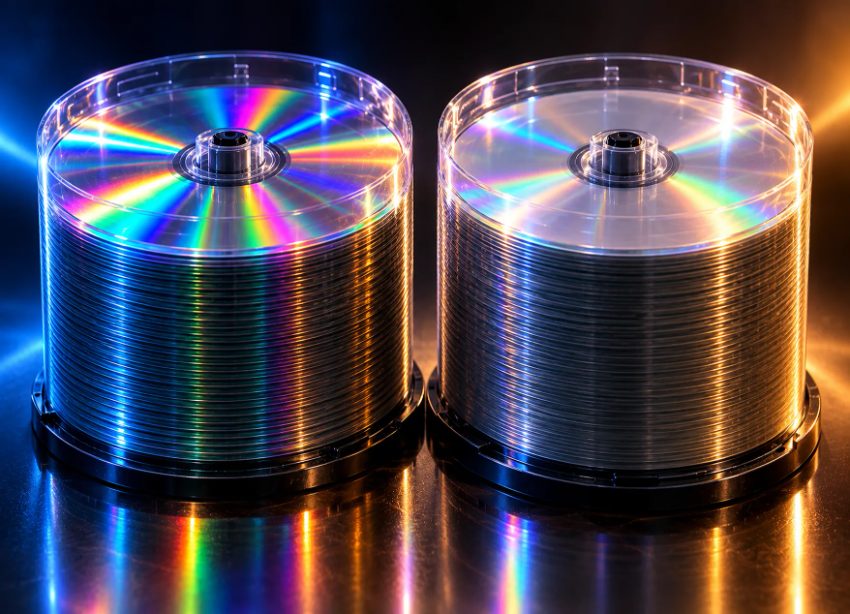
Optical media storage requires proper handling and environmental conditions to maximize its archival lifespan.
CD-Rs and DVD-Rs can be affected by manufacturing differences, handling and storage. The Council on Library and Information Resources’ guide to optical media explains the factors that affect disc longevity. The National Archives also warns that high humidity and rapid temperature changes can damage optical discs. Keep important files in more than one place rather than relying on a disc’s claimed lifespan.
Pressed discs, such as commercial DVDs and CDs, generally last longer than recordable discs like CD-Rs and DVD-Rs because on a pressed disc the data is physically molded into the disc during manufacturing. Recordable discs store data by using a laser to alter a dye layer, which can deteriorate over time. High-quality pressed discs may last 50 to 100 years under proper storage conditions, but average consumer discs degrade much faster under typical household conditionsctual lifespan of any CD or DVD depends heavily on how well it was manufactured and stored.The difference is not simply DVD versus CD. Commercially pressed audio CDs from the 1980s often still play perfectly today, while a lower-quality CD-R burned in 2005 may already have problems being read. When preserving important or irreplaceable information, the quality of the disc and how it is stored matter far more than whether it is a CD or DVD. Choosing high-quality media and storing it properly gives the information the best chance of remaining accessible for years to come.
"We've seen both CD-Rs and DVD-Rs from the early 2000s that are unreadable today. We've also seen discs from the same era that play perfectly. Families don't need to stress about CD vs DVD; they need to stress about disc quality and keeping discs away from heat and humidity."
Zachary G., Lead Technician, Forever Studios, Forever Studios
Forever Studios · Boca Raton, FL
DVD & CD Transfer
Home-burned DVDs and CDs copied to MP4 and MP3 before the discs rot.
LEARN MORE →Can I Burn Photos to DVD or CD?
Yes, you can store photos as data files on CDs and DVDs. If your computer has an optical drive, you can burn JPEG, TIFF and many other image file types to CD-R or DVD-R discs using your computer's built-in CD/DVD software or free software such as ImgBurn or Nero. CDs hold about 150-200 high resolution photos per disc (3-5MB each) while DVDs hold approximately 1,000-1,500 of the same size photos. Therefore, if you are digitizing thousands of prints from a shoe box full, one DVD can hold the equivalent of many CDs, making organization of your photos much easier. For long-term preservation, use optical discs that are specifically designed to be archival. Look for a disc with a stated archival life of 100+ years and gold reflective layer. Burn your files at a slower speed (4x, 8x etc) rather than at maximum speed. After burning verify the disc by comparing file checksums. For more information on long-term preservation of digital photos, visit the Smithsonian’s digital preservation guidelines for creating archives. Note that all optical media will eventually degrade. Therefore, make sure to create at least two copies of your archive on separate discs and store them in different locations.
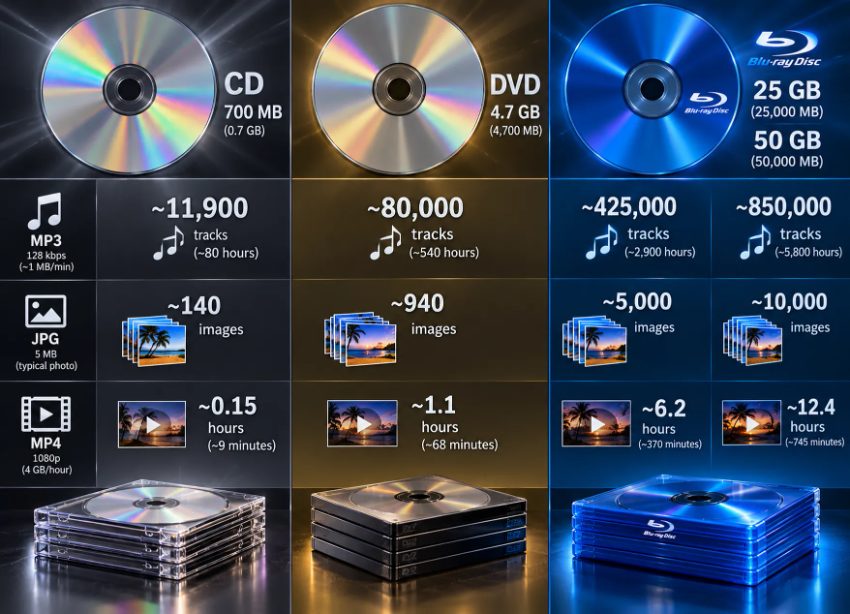
Optical media formats offer different storage capacities for preserving digital photos, music, and video content.
The choice between CD and DVD matters less than the broader preservation strategy. Optical discs are one storage layer, not the entire solution. Hard drives fail, flash drives corrupt, and cloud storage depends on continuous subscription payments. A complete approach includes multiple formats: discs for offline backup, an external hard drive for active access, and cloud storage for geographic redundancy. When we scan photos for families, we deliver high-resolution digital files on archival DVDs and also provide USB drives or cloud download options. The DVD serves as the long-term offline archive; the other formats serve daily access. If you're burning your own discs, treat them as part of a system, not the entire solution. And label every disc clearly, unlabeled discs in a drawer become unidentifiable within a few years as memory fades.
DVD vs CD for Storing Family Memories
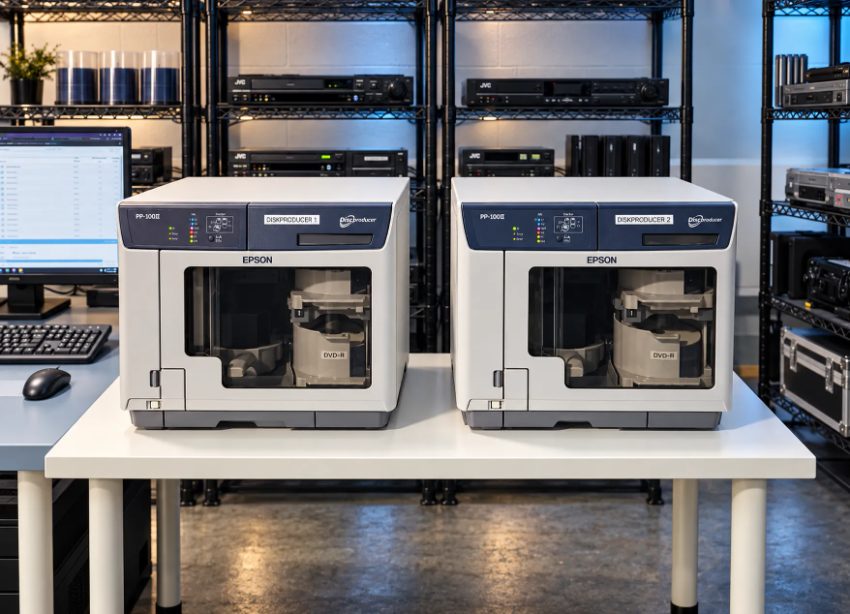
Professional disc publishing equipment enables efficient duplication and labeling for archiving family content on optical media.
Family Memory Preservation. As DVDs are even slightly more expensive than CDs per unit, family memory preservation is usually better done with DVDs than with CDs. The higher storage capacity of DVDs is more important than the higher cost per unit. DVDs hold seven times as much data as CDs. As most family digitization projects are made up of photographs, home videos and audio recordings exceeding a few hundred images, DVDs reduce disc count and simplify organizationn 700 MB in total, DVD capacity is very useful for all sorts of archiving purposes. The capacity of CDs, while sufficient for large numbers of audio files, has significant limitations when considering family archives. For example, a typical family archive of printed photographs from the past decades would likely run to 500-1000 images. At 600DPI, these would occupy approximately 1.5GB to 3GB of data space. Thus, whilst one DVD can hold all of these images, 3-4 CDs would be required to hold the same number of printed photos.
When talking about longevity of CD vs. DVD for archiving, the answer for mass market media is almost always a non-issue, since both degrade roughly equally fast under bad storage, and last 100+ years under good storage, provided you buy the right media (e.g. Verbatim or Taiyo Yuden, with a stated 100-year lifespan rating. The real preservation risk is technological obsolescence: optical drives are disappearing from laptops and desktops, and most devices manufactured after 2015 lack built-in CD or DVD readershat optical drives disappear from new computers. The number of players for any given format decreases every year. IEEE Spectrum did a big series on optical storage a few years ago, and the takeaway was that physical medium degradation is generally slower than technological obsolescence. So a perfectly preserved 2005 DVD is worthless to you unless you have a DVD drive to play it with. For families, that means DVDs (higher density), archival quality media (which costs more than the regular stuff), cool, dry, dark storage, and a formal migration to a newer format every 10-15 years or so. None of these optical discs are a ‘permanent’ solution to the problem of storing digital information for long periods of time. They’re each just an interim measure, which will at some point need to be superseded by another.
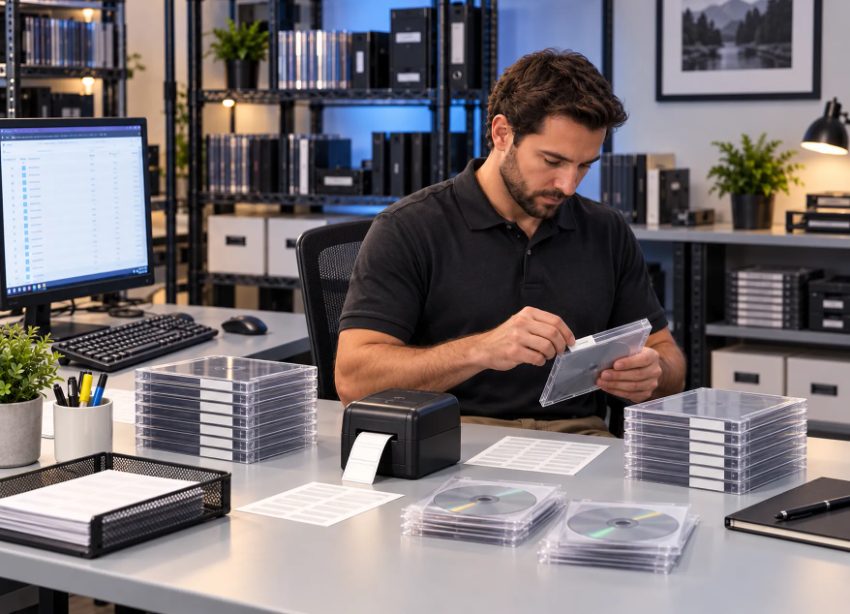
Proper handling and storage of optical media helps maintain the integrity of your archived content over time.
Can I store both photos and videos on the same DVD?+
A data DVD can hold a mix of different files, such as photos, video clips, documents and audio files. These DVDs are used as read-only file systems on a computer with an optical drive reader. However, most set-top boxes cannot play data DVDs. Set-top DVD players require discs authored in the DVD-Video format with specific folder structures (VIDEO_TS) and navigation programmingDVD-Video standard and have to contain MPEG-2 video files in a VIDEO_TS folder.
Do Blu-ray discs last longer than DVDs or CDs?+
Although using similar components such as polycarbonate substrates, organic dyes and reflective metal layers as DVDs and CDs, Blu-ray discs suffer similar degradation over time. Premium long-life archival Blu-ray media such as M-Disc Blu-ray claim 1,000-year lifespans using an inorganic recording layer resistant to oxidation. However, practical testing data beyond 20-30 years does not yet existrification of these claims by independent parties has not occurred. When tested using accelerated aging techniques the lifespan of standard recordable Blu-ray discs (BD-R) compares with premium long-life DVD-R media and often is shorter. The reduced lifespan is likely due to the thin protective layer needed for the high density data that Blu-ray media stores.
Should I keep the original discs after copying to a hard drive?+
Yes. As with any drive, hard drives can fail. Mechanical drives typically last 3-5 years and then fail at an increasing rate. Solid-state drives are immune to many failures that affect hard drives, but are susceptible to data loss in the event the drive is powered off for an extended period of time. Optical discs provide offline backup that survives hard drive crashes, though you must verify readability every few yearsine backup, which is good for protecting against drive crashes, against ransomware, and against accidental deletion. This type of preservation requires that you maintain at least three copies of your data: on disc, on hard drive, and in the cloud, with each copy maintained in a separate location.
★★★★★
"Forever studio did a great job with our first batch of photos which was over 2000 family memories. Once they were in the system we were given updates to where they were in the process. My family was suprised at how great the old photos looked. Great job!! I will be bring the next batch when I have them removed from the albums."
David, verified customer review
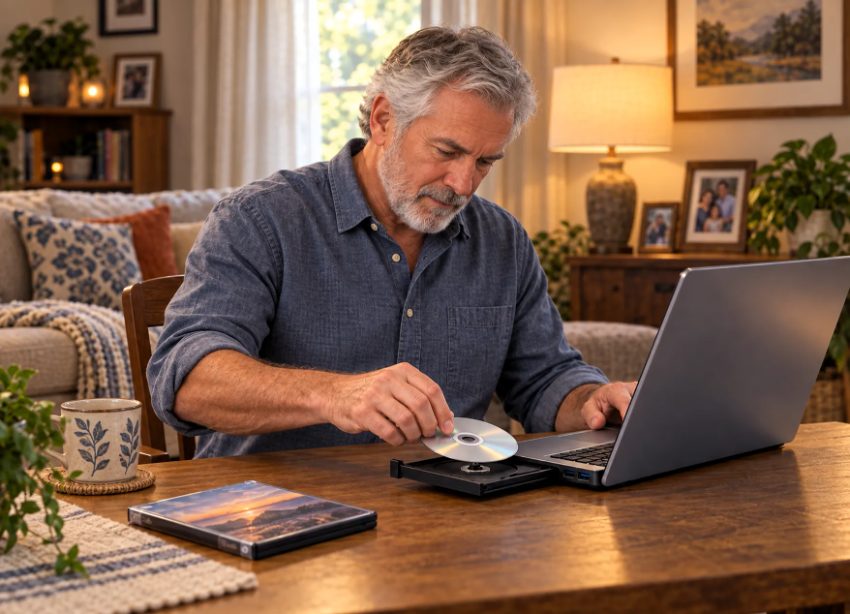
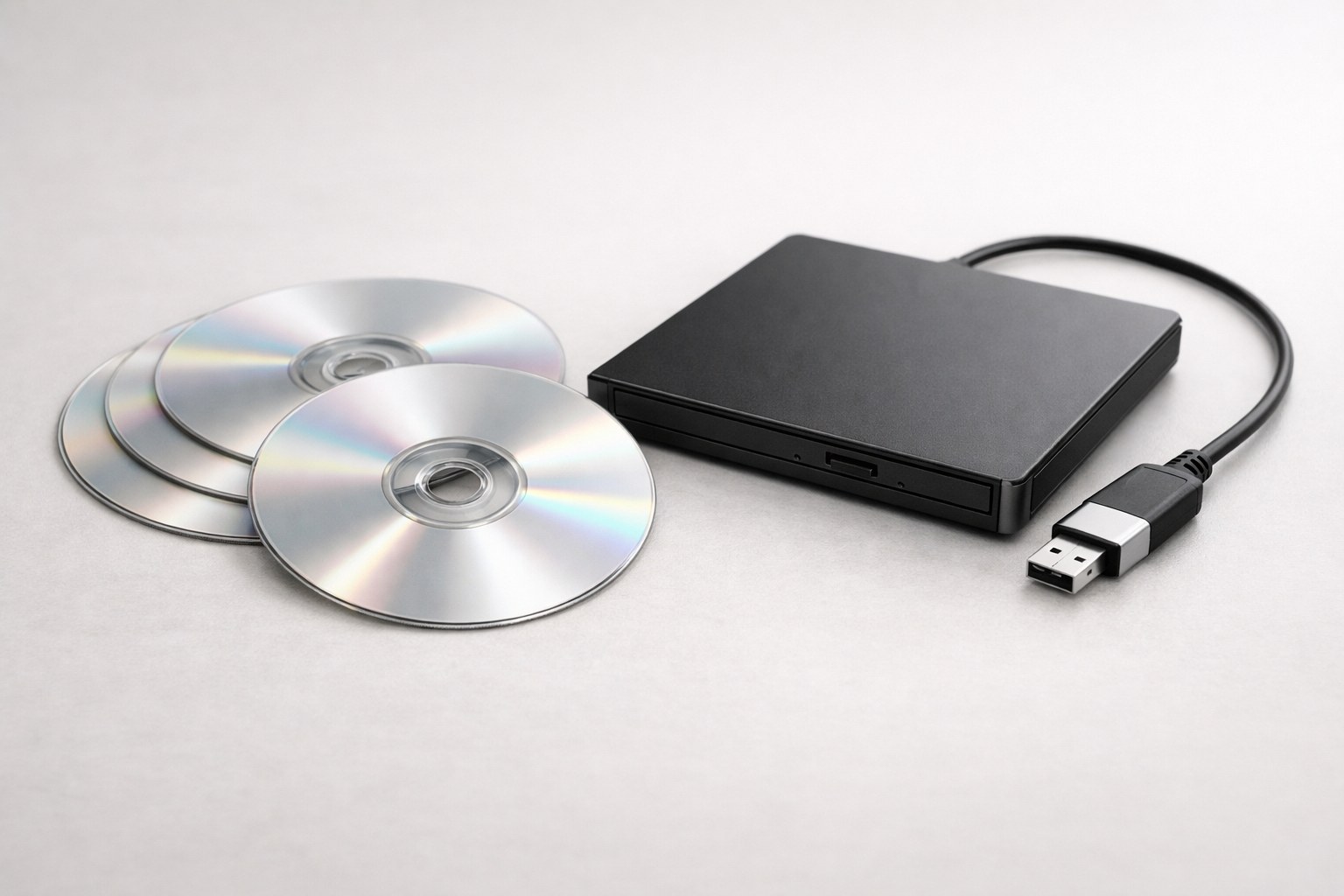
External DVD drives offer a practical solution for accessing archived family photos and videos on modern computers.
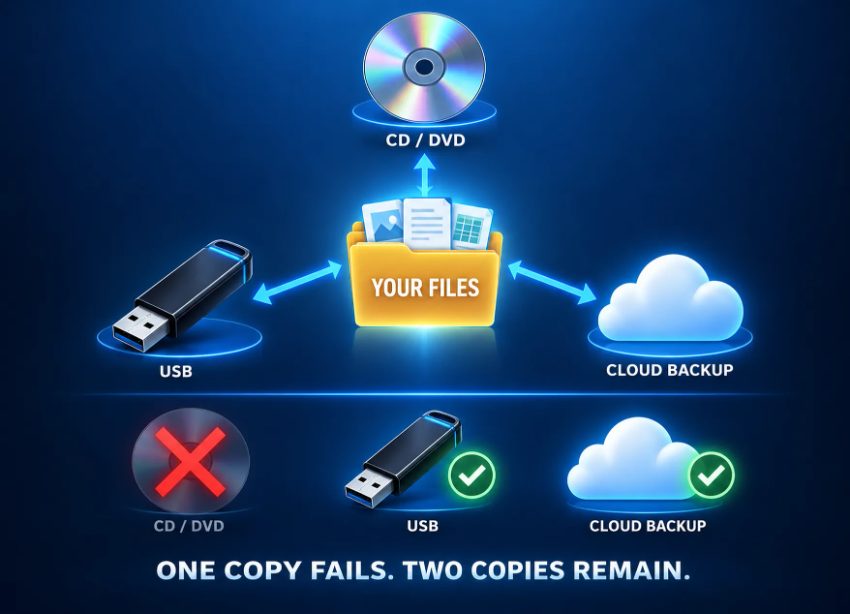
Multiple backup copies across different storage media help ensure important files remain accessible over time.

Ready to digitize it right the first time?
Bring your tapes, film, and photos to the team that treats every project as irreplaceable. All work is handled in-house in Boca Raton, never outsourced.