Can You Make a VHS Tape into High Definition
Discover how to transform your old VHS tapes into stunning High Definition quality with modern conversion techniques.
Despite my fond memories of sitting in the back of the candy store where my mom worked watching a Beauty and the Beast tape as a kid, I have to admit that I am not the biggest fan of watching movies on VHS. I never have been. Seeing as I write a good amount of the content for Forever Studios’ Vintage University, that’s a shocker, I know.
That being said, VHS used to be the height of movie nights in the olden days. But now, in the 21st century, we’re a universe away from those old days, having skyrocketed past VHS tapes to DVDs to digital files and streaming services. That introduces a number of questions for people hanging onto important VHS tapes: First off, what do I do with them? And secondly, let’s say I wanted to digitize them, is there a way to upscale VHS tapes to HD?

How nostalgic…
What Should I Do With My VHS Tapes?
Now, I could wax poetic about the sentimental importance of preserving precious memories, but it's not really necessary. If you’re here, you already have a certain “feeling” about your VHS collection. So, what do we do with our beloved behind-the-times VHS tapes, and how can we make them… better? Is it even possible? My dear readers, of course, it's possible to a certain extent…. Brace yourself; the rest of the article is a little bit technical.
If you don't want to deal with the potentially technical nature of this article, may I suggest going to a professional digitizing company like Forever Studios? Spoiler alert, if you’re looking to preserve your old VHS tapes in high quality, we’re probably your best bet. But if you want to talk through this and learn a couple things, why not follow along?
WHAT ARE VHS TAPES?
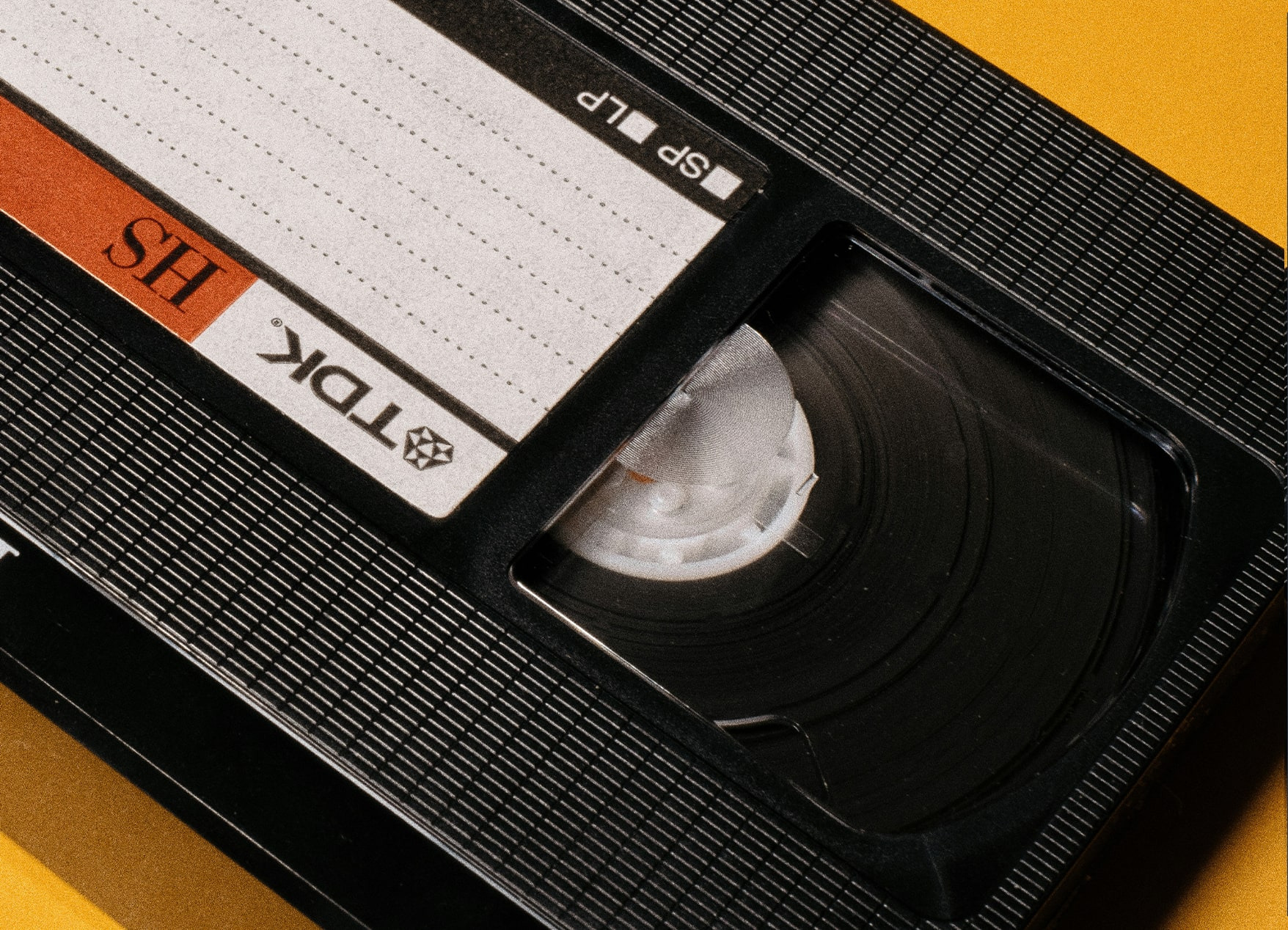
VHS tapes (invented in the 1970s), the standard for home video for decades, are a form of media in analog format recorded on approximately 1,140 feet of magnetic tape. The plastic cassette case was created to prevent the tape’s unspooling. A single tape could hold about 4 hours worth of media. The best thing about VHS tapes was how easy they were to operate, regardless of your technological prowess. If you rented a video, all you had to do was rewind the VHS (without looking at the screen too closely) and hit play to enjoy the movie in its entirety.

Horror movie VHS classics… Creepshow gave me nightmares for years, and yet, I still love it.
WHY ARE TAPES NOT POPULAR ANYMORE?
VHS cassette tapes are extremely fragile; they fade over time, and the sound and video quality are kind of abysmal. VHS quality is "nostalgically grainy and substantially lower in resolution" than anything that came after them, and they're very easy to destroy due to environmental factors. RIP, my sun-damaged Space Jam movie circa 2001.
As much as I love retro anything, I am definitely a bit of a tech snob (as my friends call me). I really prefer my media in HD and decent quality (I'm side-eyeing you, 80s B horror movies).

Sun damage and typical standard definition of an old VHS movie film.
What Do I Need to DIY Transfer My VHS Tapes to an HD Digital Format?
Get your pocketbooks ready... You will require a working VHS player, a video capture device (utilizing S-Video cable or RCA cables), specific adapters, digital converters like the Elgato Video Capture Card, advanced recording software (Movavi, Wondershare, Softonic, etc.), and video editing software (like Adobe Premiere Pro) to refine the captured content.
Oh, and did I mention, an extraordinarily large amount of patience and dedication? The digitization process is not for the faint of heart or easily irritated (in my case).

Oh look… a VCR relic…
WHAT IS THE PROCESS OF DIGITIZING VHS TAPES?
First and foremost, connect your VHS player to your computer, using your choice of capture card. Once connected, start the VHS capturing software. Your VHS recordings are transferred in real-time, encoded from their original analog form into a standard digital format. Please read the instructions for your converter equipment and the software; each is slightly different.
HOW DO I TURN MY VHS INTO HD?
This is the part where things get complicated.
Most people will tell you that VHS tapes can’t be captured in HD, and that is actually correct. There is only so much visual information on that VHS tape, and the VCR or other playback device you’re using to capture the tape is only going to output a certain (stand definition) resolution. But that doesn’t mean that the capture you get off that tape can’t be upscaled.
Upscaling means taking the original image and transposing it to a higher resolution. In most cases, when this is done, it doesn’t actually improve the overall video quality, because all you’re really doing is putting the video in a bigger “container”. There’s still the same amount of video there. Multiplying the amount of pixels won’t automatically make the video sharper.

Stormtroopers in HD! JK. This is in Disney World…
WHAT CAN I DO WITH VIDEO EDITING SOFTWARE?
If you splurge on some fancy software, like the AI based Topaz, you'll be able to start doing some interesting things that go beyond upscaling. First, you can utilize built-in editing tools to improve the final output: color adjustment, cropping unwanted footage, or improving sound quality. But most importantly, Topaz AI is able to upscale old footage, and through the power of AI, re-render the original footage into true HD. Like magic, it will add detail back into the video that was basically never there to begin with.

If the details aren’t there, you can’t add them.
Should I DIY My VHS Video Transfer?
Look, I'll be brutally honest: no. No one has the time, energy, or money to do this project unless it's a passion. And if you're reading this article, it's probably not your passion. Never mind the fact that the project's end result will probably not be as good as a professional's. And if you're dealing with something important like family memories, it's best to invest in them.

Do yourself a favor and go to a professional.
Should I Go to a Professional Company With Digitization Services?
For the people who do not have the wealth to buy a whole bunch of equipment (it's me, I'm people) or the unusual tenacity to follow through with this project, going to a digital conversion service company will ensure that you get quality results with the convenience of a fast turnaround time. Your analog videos will be flawlessly transformed into digital formats, ready for preservation on USB drives, hard drives, or cloud storage.
Forever Studios specializes in transforming VHS tapes into digital. They use high-quality digital formats while maintaining your videos in optimal condition throughout the digitization process. Our professional services are a budget-friendly option. We can also provide video editing to enhance the final product.

You know what this is…
Final Thoughts
I'm not trying to dishearten anyone from attempting new things. If you're gonna try to digitize your video tapes (let alone making them HD quality), do yourself a favor and make sure you understand the process as well as you can. Also, make sure you’re working with good quality equipment. The last thing you need is a faulty VCR eating that precious family video. And if you decide to go crazy with the project, cool! But if this all looks like a bit much, well, you can always ask us for a little help.