How to Watch VHS Tapes Without a VCR
Discover easy ways to enjoy VHS tapes without a VCR. Our guide shows you simple methods to relive the classic moments today.
Contents
Most articles on this topic open by telling you to dig up a used VCR on eBay or borrow one from a relative. That advice is not wrong, but it skips the better question: do you actually need a VCR at all?
If you have a few VHS tapes you want to watch once and put away, the answer is to find a VCR for cheap and play them on whatever screen still accepts an analog input. If you have a stack of family tapes you actually want to keep, a used VCR is the worst of both worlds: you pay $20 to $60 for a 30-year-old machine that will likely fail mid-playback, and every replay degrades the magnetic tape further.
As of 2026, the last new VCR rolled off a Funai Electric assembly line in 2016. Every unit on the market is used, refurbished, or scavenged. Modern smart TVs do not have the analog inputs VCRs were built for. The honest answer for most people is to either rent a temporary playback solution or skip ahead to digitization. This guide walks through every option in order, with real costs and real tradeoffs, so you can match the answer to your situation.
Quick Answer
Watch VHS tapes without a VCR in 2026 by either: (1) borrowing or buying a used VCR for $20 to $60 and connecting via RCA to HDMI adapter, or (2) skipping the VCR entirely and using a professional digitization service that converts your tapes to MP4 files you can play on any modern device.
Best for one-time viewing: borrow a VCR. Best for long-term keeping: digitize. New VCR purchase is rarely the right call.
Option 1: Find a VCR (Borrow Before You Buy)
BUY A CHEAP USED VCR
Okay, let's say you decide to go the route of acquiring a used VHS player/VCR. You can search for used VHS players on online marketplaces like Craigslist, Facebook Marketplace, or eBay.
Here is a direct link to eBay VCR listings! Maybe you’ll find some hidden treasure.
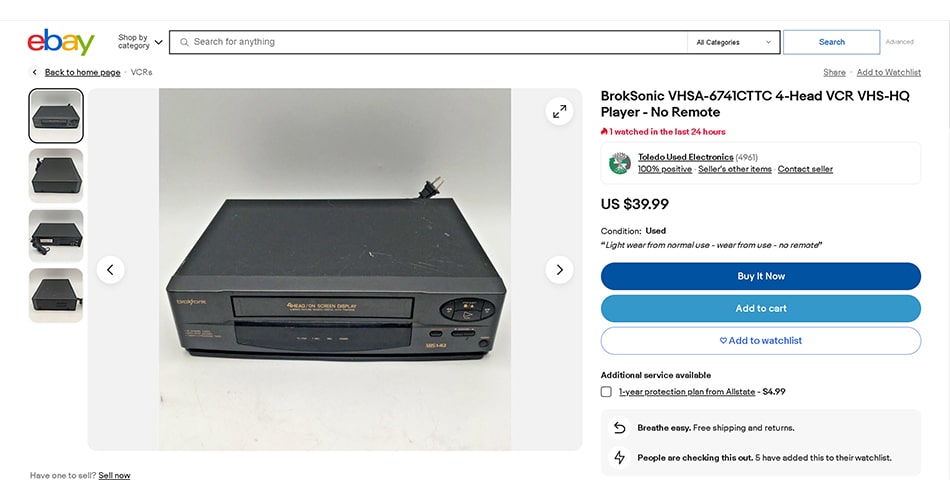
Used VCR players are widely available on eBay, often for less than $30 with free shipping.
You can also find VHS players at thrift stores, antique stores, yard sales or garage sales. In any event, just be careful to purchase one that can be returned in the case it does not work. And unfortunately, in very many cases, it wont. VCRs can be temperamental machines, and as time went on, the build quality of them seemed to get cheaper and cheaper. It may sound ridiculous, but the heavier the unit is, the better quality it is likely to be.

Garage sales, thrift stores, and estate sales are great places to find working VCR players.
BORROW ONE FROM GRANDMA
Okay, it doesn’t HAVE to be grandma, because she is probably still using it. But there is a solid chance that your favorite Baby Boomer still has a VCR somewhere. And chances are, if they still have it, it probably still works. Otherwise they would have thrown it out, right? …. Right? Okay, you may want to test it out on a nearby CRT TV first before you get your hopes up. Chances are, they probably still have one of those in the garage too.
VISIT YOUR LOCAL LIBRARY
This may sound totally crazy if you were born after 1997 or so, but visiting your local library may be the most convenient way to check out what’s on a VHS tape. If you’re only looking for a way to play a tape back, and don’t need a permanent solution for watching them, most libraries have historical media departments where you can view anything from microfilms to music records, & more. Besides, when is the last time you actually visited a library? Could be fun!

Many public libraries now offer free media conversion equipment and dedicated audiovisual labs.
How to Identify the Outputs on Your VCR
Once you've found a VHS player, the difficult part is going to be getting it connected to your current TV and achieving proper playback. In many cases the type of signal that the player is outputting isn't going to be recognized by a modern TV. Also, in many cases, the required AV cables are going to be missing from the player.
First thing is first though. Start by identifying the outputs that your machine has. Depending on the quality or age of the VCR in question, it will have a different combination of analog signal outputs to create analog video connections. And this is step one of how to watch old VHS tapes.
Connecting a VCR to an Old (CRT) TV
RCA COMPOSITE VIDEO OUT
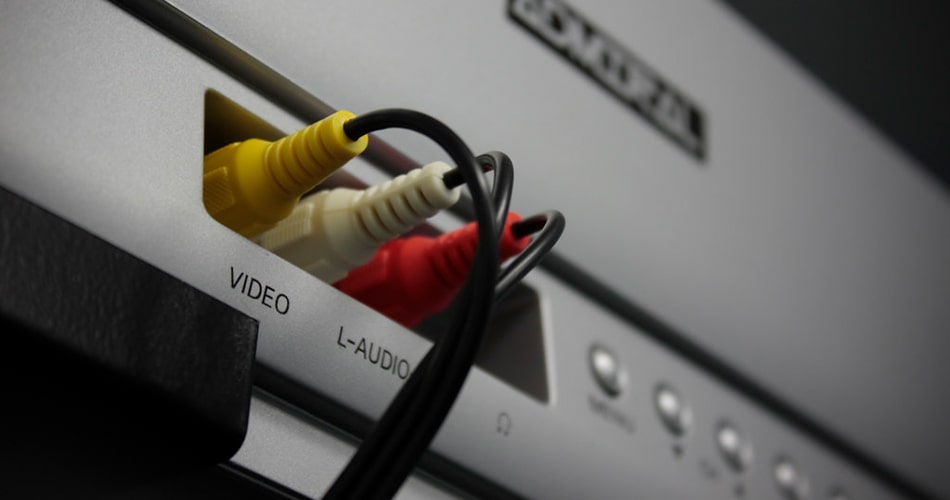
The standard RCA output on a VCR uses yellow for video and red/white for stereo audio.
RCA outputs are the red white and yellow connectors you've probably seen a million times on older video equipment, commonly referred to as A/V cables or composite video outputs. In some cases if the device only has mono audio, there will only be the yellow and white plugs, and the red plug on the audio cable will be missing. This also means there will be one less audio channel on playback.
S-VIDEO OUT
A better version of RCA connections that was introduced later, S-Video cables look a lot like a standard RCA setup, but will include a fourth plug that is black with pins. If you are able to create an S-Video connection, you can omit the connection of the yellow plug in an RCA setup.
COAXIAL OUTPUT
Coaxial ports are what you're probably used to if you've ever connected an old cable box with the stiff white cable they used to use. The output on the VCR will have a screw threading on the outside, as coax cables need to be screwed onto their connectors. With coaxial cable, both the video and audio signals are carried over the one cable.
Option 2: Connect an Existing VCR to a Smart TV
If you have a smart TV, you can connect your VCR to it using HDMI, S-Video Cables, or RCA cables. Some smart TVs have at least one AV input, which allows you to connect your VCR.

A working VCR is the starting point for most methods of playing or digitizing VHS tapes.
You can find these cables at most electronics stores or online marketplaces. Once you've connected the VCR, use the TV remote to switch to the input you've connected the VCR to and press play.
Now here is the issue: As of 2026, smart TVs with legacy AV inputs are becoming extremely rare, and most new models will only have HDMI inputs.
To make the VCR connect to a smart tv, adapters will almost certainly be necessary to connect via HDMI. Take a look at your inputs on the back panel of the TV. If you do not see any inputs that match the outputs on your VCR, it's time to start looking at an RCA to HDMI adapter or something similar.
Why RCA-to-HDMI Adapters Are a Mediocre Long-Term Fix
Let's talk HDMI Adapters. To create an HDMI connection from a legacy device like a VCR, you can use a simple HDMI adapter from Amazon. Search for terms like "Analog Video Adapter" in Google, and you'll find plenty of options for converting from analog video sources pretty quickly. But there are a few reasons why this isn't necessarily ideal.
- The video and audio quality is probably going to be a mess.
- The TV may not even recognize the low resolution video signal coming from the VCR.
- The contents of VHS tapes are fragile, and watching them on a VHS player is not ideal for preservation of the media. The amount of times they can be replayed at this point may be numbered.
Option 3: Skip the VCR and Convert Your Tapes to Digital
The benefits of performing digitization instead of trying to use a VCR to perform playback are pretty numerous. But the most obvious reason to go this route is actually expense. If you're reading this article, there is a very good chance you don't have a VCR, and readily available ones that you don't have to go search out at a yard sale or something are going to be relatively expensive.
Besides the equipment cost, there is the viability of VHS tapes themselves that needs to be considered. VHS tapes lose quality and can deteriorate over time, but digital files retain their quality indefinitely. Every time an old VHS tape gets spun up, that's one more opportunity for it to degrade or break.
Converting your old tapes also makes them easily accessible and shareable with friends and family members, no matter where they are in the world. And with Forever Studios VHS to digital digitization services, the quality of the original materials gets a pretty big boost, even with the lower priced Classic Transfers. With Gold Transfers, you're looking at a significant jump in both visual and audio quality. Speaking of which.
Option 4: Hire a Professional Transfer Service
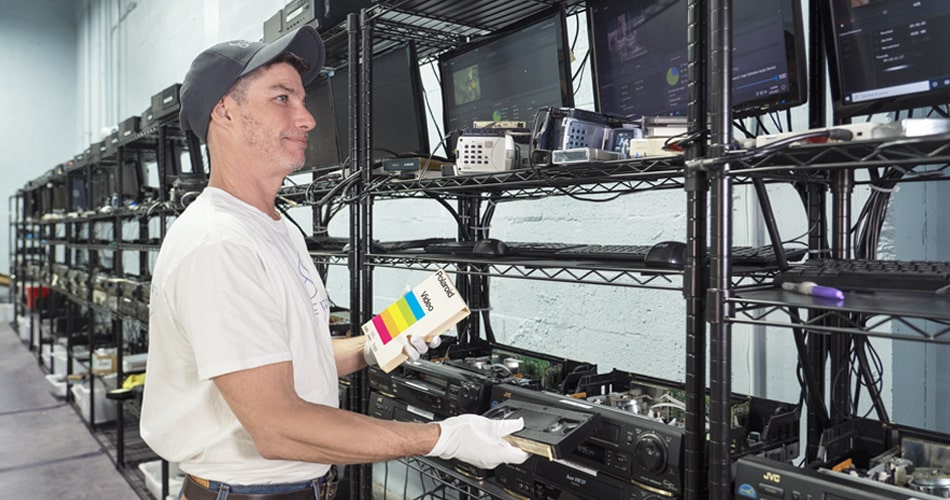
Forever Studios technicians use professional equipment to produce the highest quality transfers.
The process is pretty simple. First, gather up your old VHS tapes and pack them in a 3-way ship kit that we'll send you by mail once you make an order. Then, sit back and relax while our team of professional digitizer's gets to work, providing personalized updates along the way so you always know the status of your order.
In just three weeks (or less, if you are in a rush, we can discuss how to speed up your order), you'll receive your old tapes back along with a new shiny USB drive and a link to download your files from Forever Cloud. That's it. VHS to digital done right!
Why Digitized Tapes Look Better on Modern TVs
Connecting a VCR to an HDTV just isn't going to result in the same experience as watching HD upscaled digital MP4s of the same tapes. You may be able to get a VCR to connect and play on your smart TV, but it's still going to be the same old AV signal with no enhancements whatsoever, and considering the fact that these devices were designed to play in a resolution about 1/8th of what the average smart TV displays with interlacing, no less, that's not going to look the way you remember it looking.
Between the convenience and the quality of the experience, there is no two ways about it. Digitizing is the way to enjoy old media on modern devices.
Whatever You Do, Do Not Let These Tapes Sit
At the end of the day folks, we care most about making sure old media is properly appreciated. Whether you choose to digitize it with us or go a different route, we just want to make sure it lives to see tomorrow. With these simple steps, you can enjoy your favorite movies or relive your cherished memories. Whether you choose to find a VHS player, an old TV with a built-in VCR, or digitize your VHS tapes, you can still enjoy the nostalgic charm of VHS tapes. Remember, these tapes are a part of your life and hold immense emotional value, making them worth saving.
Warning Signs Your VHS Tapes Need Urgent Digitizing
If a tape smells musty or shows visible white or green spots, that is mold growing on the magnetic coating. A sticky or squealing sound during playback means the binder is breaking down, a condition called sticky shed syndrome. Both problems get worse with time, and once the coating separates from the plastic shell, the footage is gone for good.
Other red flags include a warped or cracked cassette shell, wavy lines or heavy static during playback, and color that looks washed out compared to how you remember it. If your tapes are from the 1980s or 1990s, they are already past the typical 15 to 25 year lifespan for magnetic media. The sooner you digitize them, the more of the original quality you will be able to preserve.
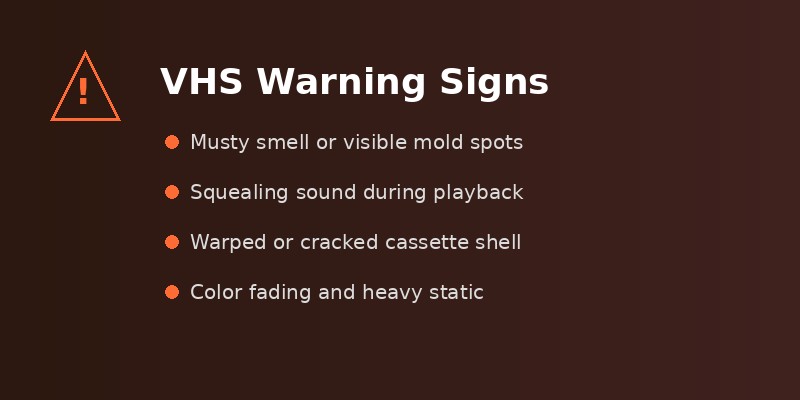
Recognizing these warning signs early can save irreplaceable footage from permanent loss.
"When I called for information, the person on the phone explained a lot to me and then when I went to the facility to drop off my tapes, they gave me a tour and showed me around and explained what they were going to do and answered any questions I had. Then I received the product and was very well pleased."
Marquita, Verified Customer on Reviews.io

"The hardest part of what we do is telling someone their tape didn't make it. Mold and sticky shed don't wait around. If you can still play the tape, even with some static, that's the time to act, not after it stops playing entirely."
Zachary Goldberg, Founder of Forever Studios
VHS Playback and Conversion Methods Compared
The table below breaks down the most common ways to watch or convert your VHS tapes, along with typical costs, quality expectations, and difficulty level.
| Method | Typical Cost | Video Quality | Difficulty | Best For |
|---|---|---|---|---|
| Used VCR + Old TV | $20 to $60 | Original (480i, no enhancement) | Easy | Quick playback on a CRT TV |
| VCR + RCA to HDMI Adapter | $35 to $80 | Low (signal conversion artifacts) | Moderate | Watching on a modern TV without digitizing |
| USB Video Capture Device | $15 to $30 (plus VCR) | Moderate (480p digital file) | Moderate | DIY digitizing on a budget |
| Professional Digitization (Classic) | $15 to $25 per tape | High (enhanced, cleaned signal) | None (done for you) | Convenient preservation with solid quality |
| Professional Digitization (Gold) | $25 to $45 per tape | Best (HD upscaling, color correction) | None (done for you) | Maximum quality for irreplaceable tapes |
Frequently Asked Questions
Do they still make VCR players?
No. The last known manufacturer of new VCR units, Funai Electric, stopped production in 2016. All VCR players available today are used or refurbished. They can be found on eBay, at thrift stores, and occasionally at garage sales, usually for $20 to $60 depending on condition.
Can I play VHS tapes on my laptop?
Not directly, but you can connect a VCR to your laptop using a USB video capture device (around $15 to $30). The capture device converts the analog signal from the VCR into a digital feed that recording software on your laptop can display and save. This is also how many people digitize their VHS tape collections.
How long do VHS tapes last before they degrade?
VHS tapes typically last 15 to 25 years before noticeable quality loss begins. After that, you may see increased static, color fading, and audio dropout. Tapes stored in hot, humid, or dusty conditions degrade faster. If your tapes are from the 1980s or 1990s, digitizing them sooner rather than later is strongly recommended.
What is the difference between VHS and VHS-C?
VHS-C is a compact version of VHS that uses the same magnetic tape but in a smaller cassette shell. VHS-C tapes were commonly used in handheld camcorders during the 1980s and 1990s. You can play a VHS-C tape in a standard VCR by using a motorized adapter cassette that holds the smaller tape inside a full-size VHS shell.
Is it legal to convert VHS tapes to digital?
Converting VHS tapes that you own for personal use is generally considered legal under fair use provisions. This applies to home videos, personal recordings, and tapes you purchased. However, duplicating commercially produced movies or distributing converted content may violate copyright law.
What format should I save my digitized VHS tapes in?
MP4 with H.264 encoding is the most widely compatible format and works on virtually every device and platform. For archival purposes, some people prefer saving in a lossless format like AVI or MOV alongside a smaller MP4 copy for everyday viewing. VHS resolution tops out at roughly 480i, so very large file sizes do not indicate higher quality.

Ready to digitize it right the first time?
Bring your tapes, film, and photos to the team that treats every project as irreplaceable. All work is handled in-house in Boca Raton, never outsourced.