What is the Highest Quality Image Format?
Discover the best image format for your needs. Our post reveals which offers superior quality and why it matters.
Contents
Highest quality format for photographs is TIFF, but highest quality and right for you are not the same. For most families scanning photos, a high quality JPEG scanned correctly the first time is going to be sufficient. A 4x6 scanned at 600 DPI as a TIFF can run ten times the size of a high quality scanned JPEG of the same photo without looking any better on screen. That is why the Library of Congress scans to TIFF masters for its archives while most families never need one. Forever Studios, a professional photo and video preservation studio in Boca Raton, Florida, delivers high resolution JPEGs scanned at 600 DPI by hand, stored on USB, DVD or in the cloud, with TIFF masters available on request for projects that require them.
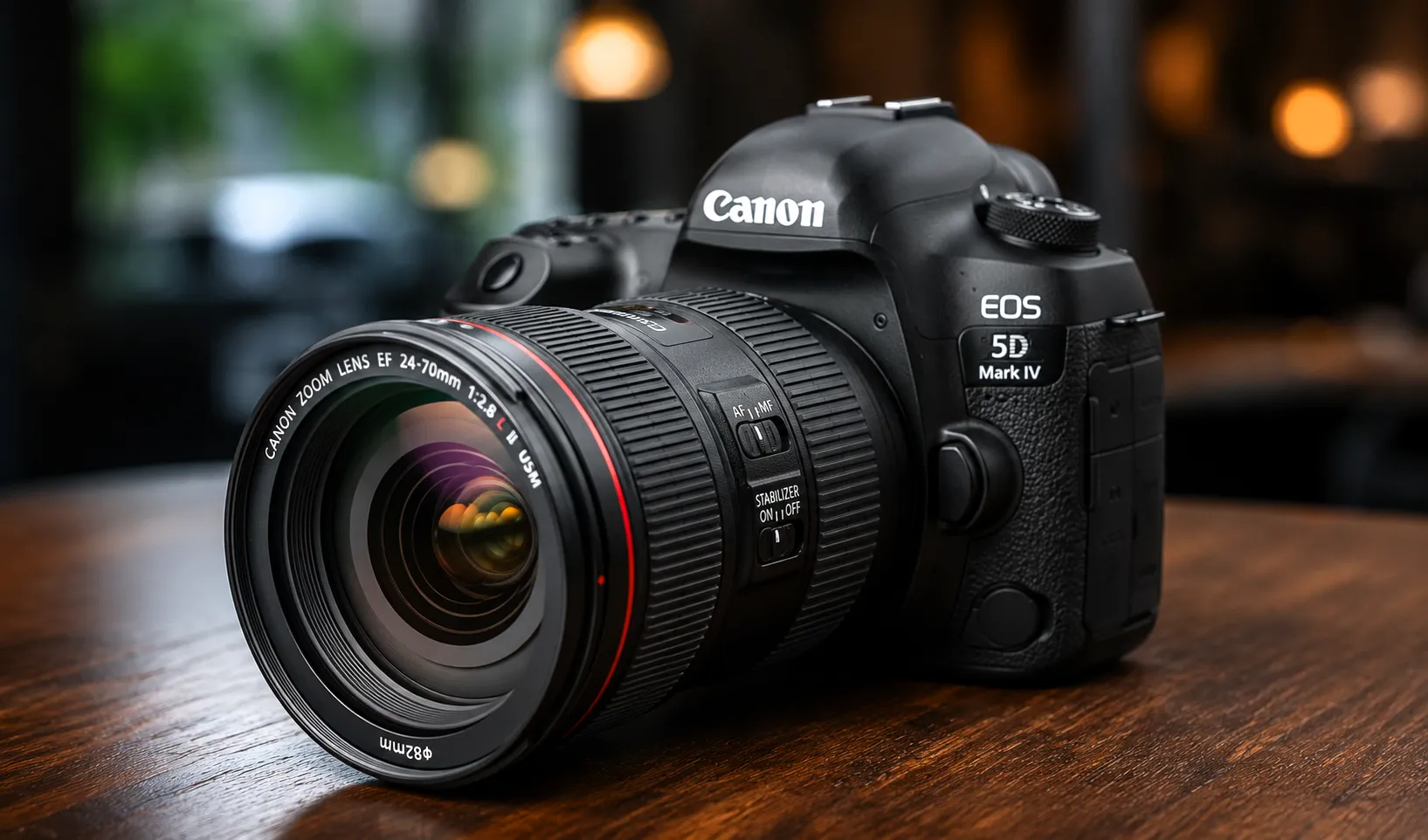
Capture resolution sets the ceiling, but the file format you save to decides how much of it survives.
Which Image Format Has the Highest Quality?
Of all the formats used for images, for pure image quality (image fidelity) the formats are listed in the following order from highest quality to lowest: the RAW image file formats (such as CR3 for Canon and NEF for Nikon), then TIFF, then PNG, then JPEG, and lastly GIF.
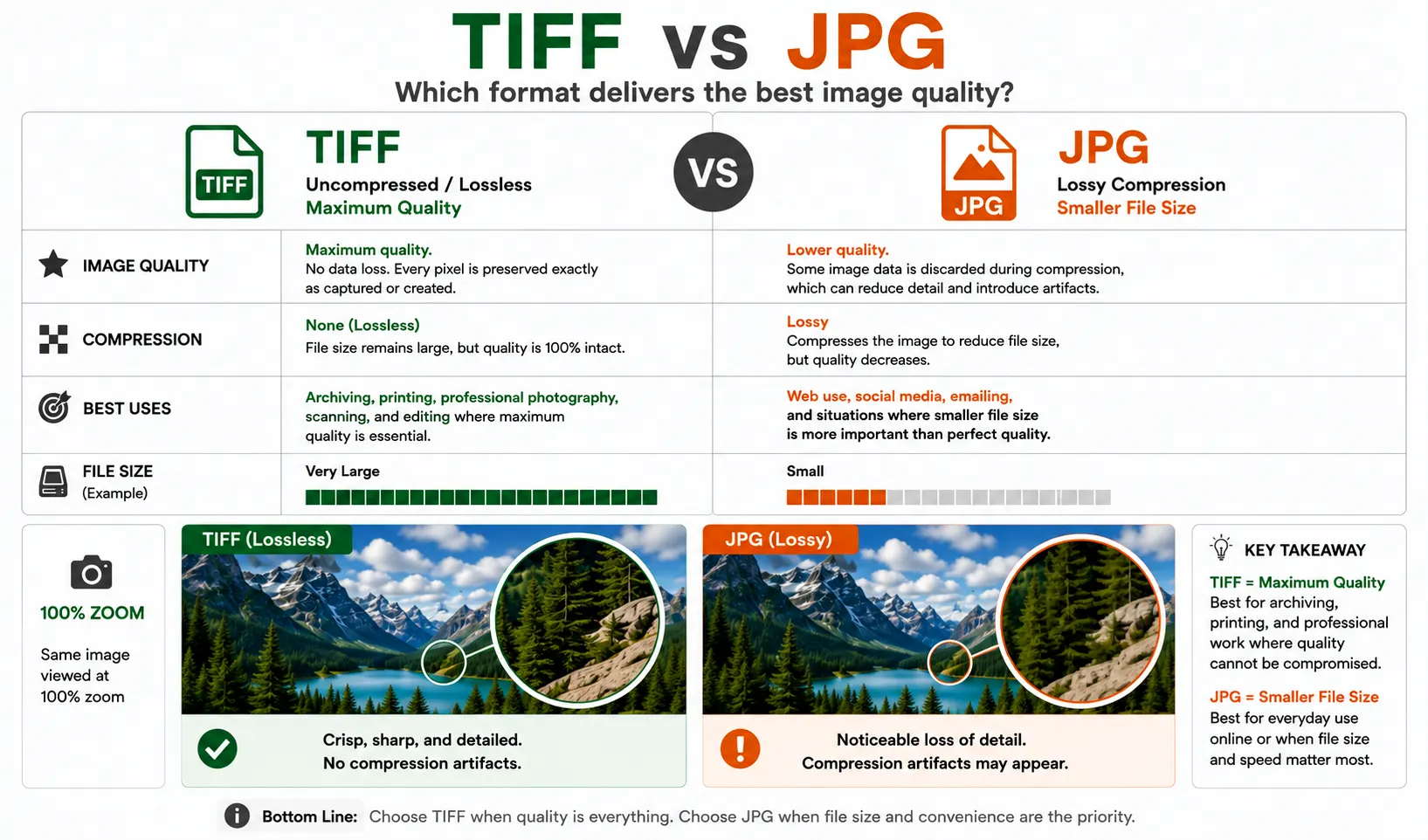
TIFF keeps every pixel; JPG trades some detail for a smaller file. For archiving, that difference matters.
RAW files give photographers the most flexibility when editing, but they are saved in a format native to each particular camera. You cannot open them with software made for another brand or model, and viewing them at all takes specialized software. That is why RAW matters to photographers and rarely to families with a box of prints.
For finished images, the highest quality format is TIFF, or Tagged Image File Format. TIFFs are lossless, meaning a TIFF opens looking exactly the same as it did when it was last saved, and every professional photo editing application can read one. The official format specification for TIFF was last updated in 1992, and the format has proven remarkably stable ever since. Even 30 years from now, a photo saved as a TIFF will open exactly as it did the day it was scanned.
When Is JPEG Good Enough for Family Photos?
A high quality JPEG is by far the most practical format to view, share and print your family photos. JPEG files are lossy, meaning small amounts of color information are discarded here and there that the human eye cannot even tell was missing. This allows the files to be saved at very small sizes, in the neighborhood of one tenth the size of a TIFF saved at a comparable quality setting. So a scanned photo saved as a high quality JPEG can be shared with relatives by email, stored by the thousands on a single USB drive, and printed at poster sizes. The only time you will start to notice quality degradation with a JPEG is when the file has been opened and re-saved a number of times. To combat this, edit from one master file and save out copies to distribute as needed. Never open a JPEG and re-save over it, since each save re-compresses the image.
What About PNG and GIF?
There is also PNG, a lossless format generally used for web graphics. It is ideal for items such as logos, screenshots, graphics with sharp edges, and graphics with a transparent background. A lossless PNG of a photograph will be a larger file than an equivalent quality JPEG without any increase in visible quality, so it is not the right choice for storing scanned prints. GIFs are not suitable for photographs at all. They are limited to 256 colors, which makes any photo quickly posterize and band. GIFs are best left to simple animations.
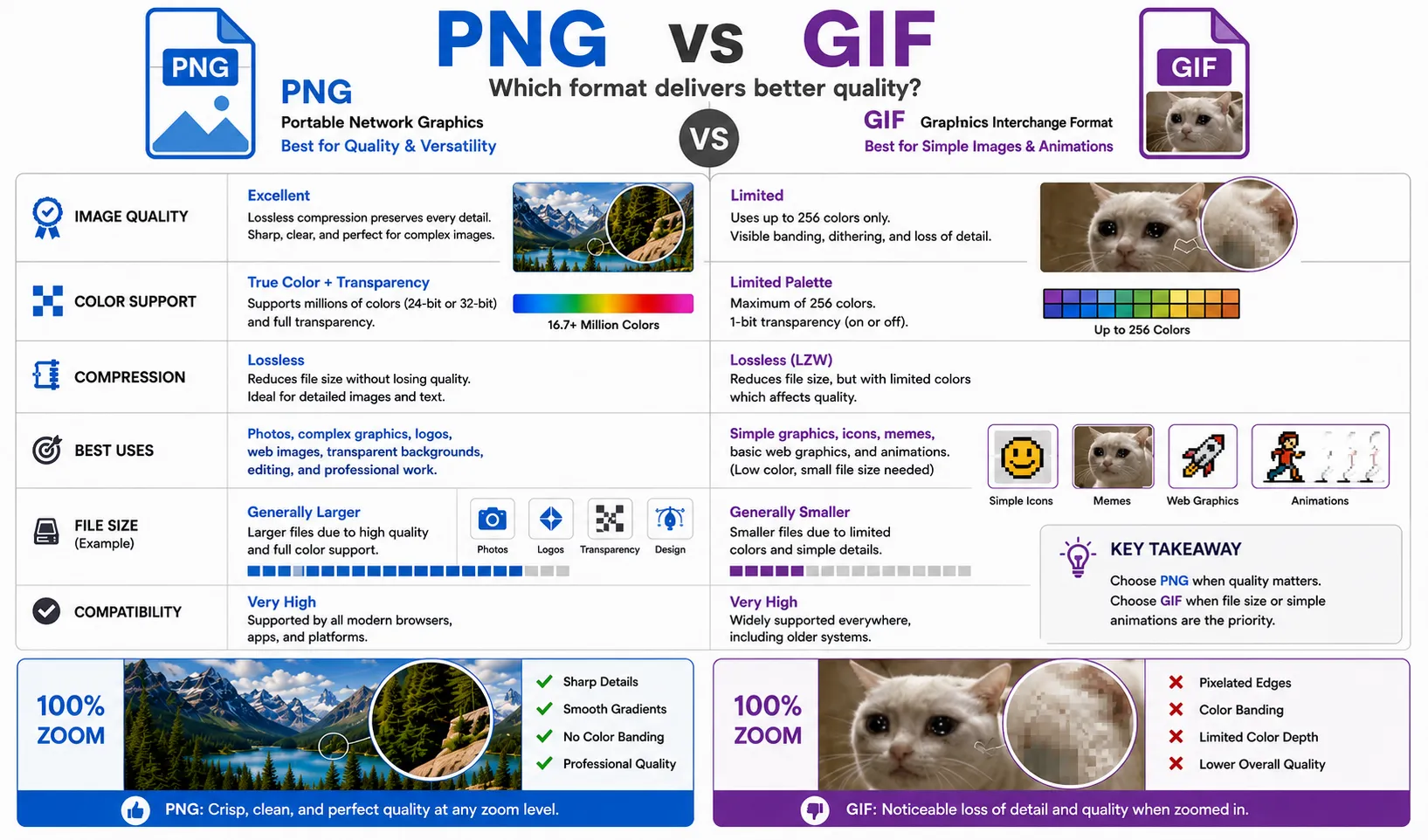
PNG holds millions of colors with lossless detail; GIF caps at 256, which is why photos look banded in GIF.
TIFF or JPEG for Scanned Family Photos: Which Should You Ask For?
If you are going to have your prints scanned it is not enough to know what file format that service is going to deliver your scans in. The real variable here is the resolution at which the print was scanned. (DPI) A service may deliver your scans in say JPEG files, but if they have only been scanned at 300 DPI then the amount of real detail captured is lower, which is fine for everyday viewing and sharing but limiting if you ever want a large print or a restoration. At Forever Studios we can scan your prints at a professional levels as specified by the federal FADGI (Federal Agencies Digital Guidelines Initiative) guidelines. These would be 600 DPI for prints of less than life size and we can deliver the created files in high quality JPEGs. But for use in say a museum, a genealogy archive or for high quality reproduction it is far more typical that the master (the original scan) would be stored as TIFF files. We make no difference between saving a file as a JPEG and saving a file as a TIFF. The images are scanned in the exact same manner. If you require the TIFF masters to be created then please advise us when you place your order. Our guide to the best resolution for scanning photos covers the DPI side in depth.
What Do Newer Formats Like HEIC and WebP Change?
A photo saved as HEIC (the default on new iPhones) or WebP holds a lot of quality in a small space, roughly half the size of a high-quality JPEG image. Google’s WebP format for images has been touted as great for the web because of the many advantages of images saved as a WebP as opposed to JPEG or PNG. However, plenty of older software still cannot open these newer formats, so they are not a safe long-term archival choice. The Library of Congress Recommended Formats Statement still lists TIFF and JPEG for still images. For now, we can work with your HEIC files and then create JPEG or TIFF copies of the photos and have them archived for you.
Which Format Should You Choose for Each Purpose?
- Scanning family prints for everyday use: high quality JPEG at 600 DPI.
- Archival masters for genealogy, museums, or estates: TIFF, stored in two places.
- Editing and restoration work: TIFF or the original RAW, with JPEG copies for sharing.
- Logos, graphics, and screenshots: PNG.
- Web publishing where loading speed matters: WebP or compressed JPEG.
- Photos, ever: not GIF.
How Forever Studios Delivers Your Scanned Photos
Not every photo needs the same treatment, so we scan at two levels. The right one depends on what you plan to do with the images.
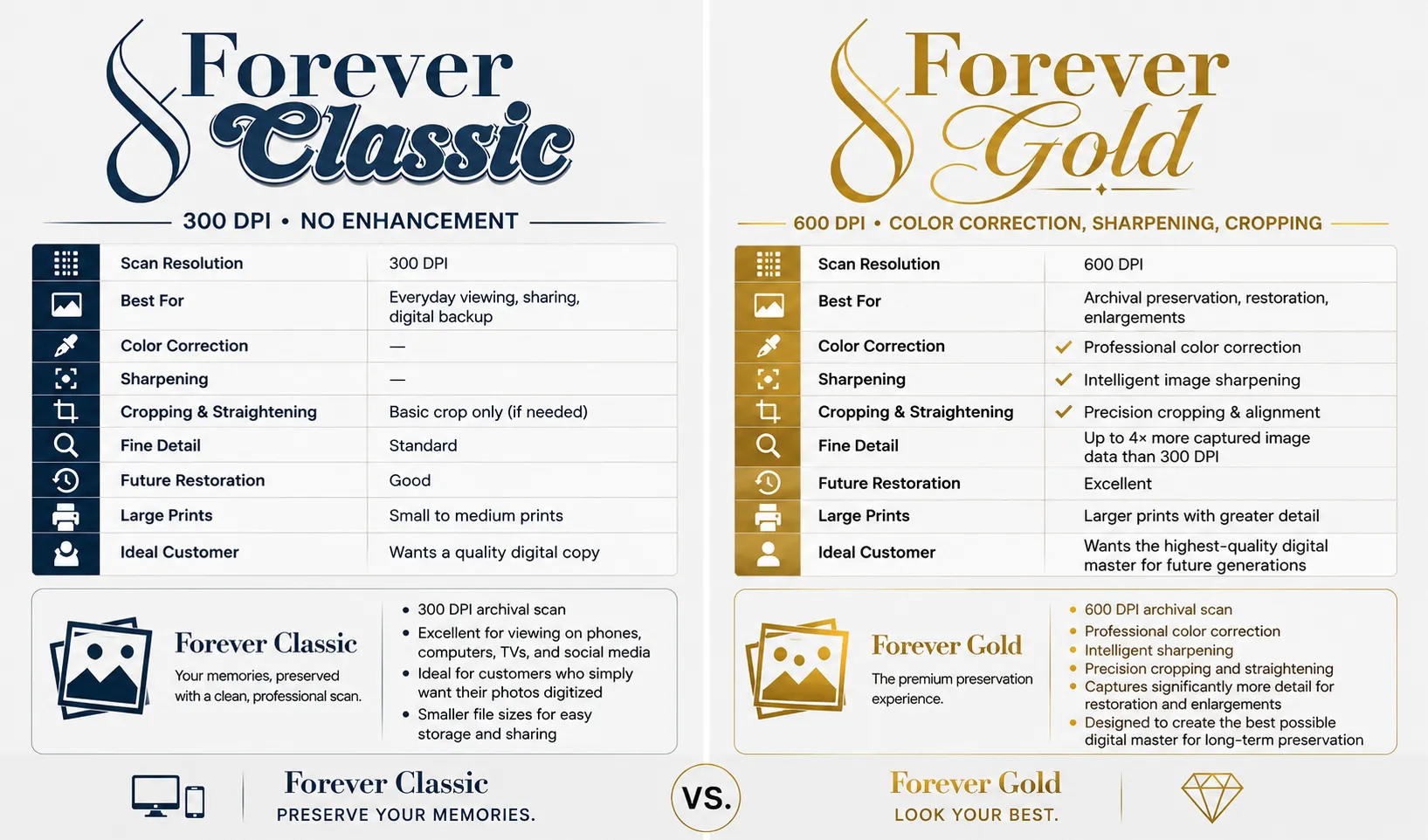
Forever Classic preserves your memories with a clean scan; Forever Gold is built to make them look their best and last for generations.
Forever Classic scans your prints at 300 DPI and delivers them as high quality JPEG files. It is the right choice when you mainly want your photos safely digitized for viewing, sharing, and backup. The files look excellent on phones, computers, and TVs, they are small enough to store and send easily, and they still hold enough detail for small to medium prints.
Forever Gold scans at 600 DPI, which captures up to four times more image data than a 300 DPI scan. Every Gold scan also includes professional color correction, intelligent sharpening, and precision cropping and straightening. It is built for archival preservation, restoration, and enlargements, and it produces the highest quality digital master to hand down to the next generation.
Either way, every photo is scanned by hand and delivered on USB, DVD, or in secure cloud storage. Photos that need repair go to our experienced photo restoration artists, who always work from the highest quality scan available. If you need TIFF masters instead of JPEG files, let us know when you receive your quote for our photo scanning service.
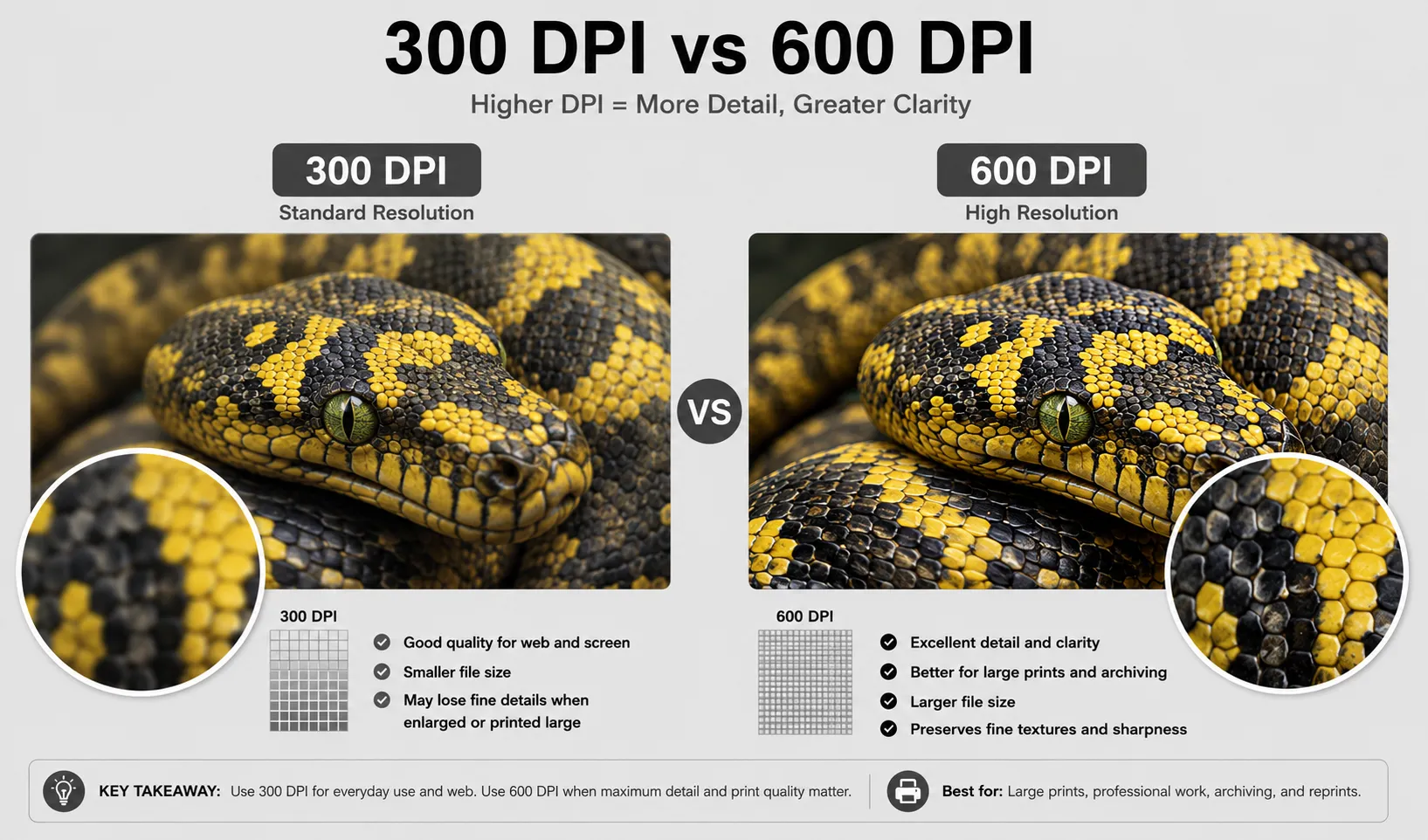
The same photo at 300 versus 600 DPI. The higher resolution is what makes enlargements and reprints hold up.

Ready to digitize it right the first time?
Bring your tapes, film, and photos to the team that treats every project as irreplaceable. All work is handled in-house in Boca Raton, never outsourced.