Best 8mm Film to Digital Converters (2026 Review)
Seeking the best 8mm film-to-digital converters? Our 2026 guide aids your choice.
Contents
- The Kodak Reels and Wolverine MovieMaker-Pro both sell for $399 and create 1080p MP4 files.
- These home scanners need to be manually threaded and watched constantly during the scanning process. They work best with film in excellent condition; spliced or brittle film can jam or tear.
- Professional services use frame-by-frame scanning at 2K to 4K resolution and check every foot of film for splices, brittleness, and vinegar syndrome.
- Forever Studios charges $15 per reel for reels 4 inches or smaller, $30 for 5–7 inch reels, and $75 for reels 8 inches and larger. Most orders are completed within 2 to 3 weeks.
- A resolution of 1080p is the minimum recommendation. Scanning at 2K captures the full detail of 8mm film (800–1000 lines), while 4K provides only a small additional improvement for standard 8mm.
What home 8mm film converters are available for DIY digitization?
Forever Studios is a Photo & Video Preservation Studio located in Boca Raton, Florida. Forever Studios has been transferring 8mm and Super 8 film since 2007 and uses frame by frame scanning that creates films and videos up to 4K resolution.
8mm film digitization requires a time consuming process using a 8mm film-to-digital video converter machine, or have it done by a professional service. Choosing the right converter to transfer your 8mm films is crucial, since some of the models can cost you a lot of money and even produce low quality images. This article presents the most commonly used 8mm film-to-digital video converters such as the Kodak Reels 8mm Film Digitizer, the Wolverine Film2Digital system and the professional video converters made by MovieStuff.
"We treat every film reel as irreplaceable family history. Before scanning, our technicians inspect each foot of film for splices, brittleness, and vinegar syndrome, catching issues that can jam consumer scanners or tear fragile footage. Our frame-by-frame process captures at up to 4K resolution while keeping originals secure in our Boca Raton facility throughout the entire workflow, from intake through final delivery.", David J., Preservation Specialist, Forever Studios
You can convert your film or we can do it for you. Whichever you decide, it is important to choose the best option for you.
KODAK REELS 8mm Film Digitizer Converter
The KODAK REELS 8mm Film Digitizer Converter retails for $399.99 on the Kodak website and Amazon. This compact, stand-alone machine captures each film frame with an 8.08-megapixel sensor. The converted film is then saved as a digital MP4 file at 1080p resolution. The KODAK REELS has a built-in 3.7” color LCD screen for viewing images and making adjustments to optimize captures such as zooming in, re-orienting frame size, and fine-tuning the exposure. There is a memory card slot for storing and sharing digitized files, but note that an SD Card is not included with this product.
The converter does not record audio. The machine has limited compatibility for specific film sizes (3″, 5″, 7″, 8″, or 9″ only) and lacks advanced editing and restoration features. Threading the film correctly takes practice, and you must monitor the machine continuously to prevent jams or tears. Rewinding the film can also be slow, requiring switching the film reels around because the machine only feeds in one direction. Also, the conversion process takes a long time, so plan enough time for the conversion of your film material.
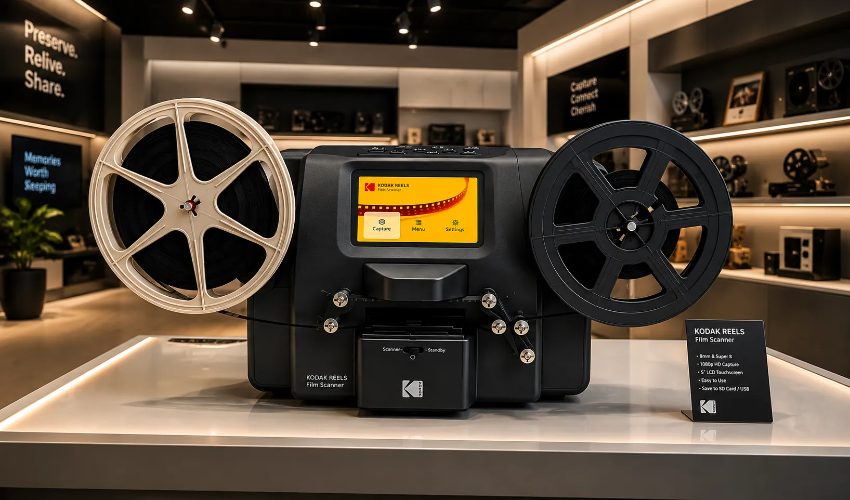
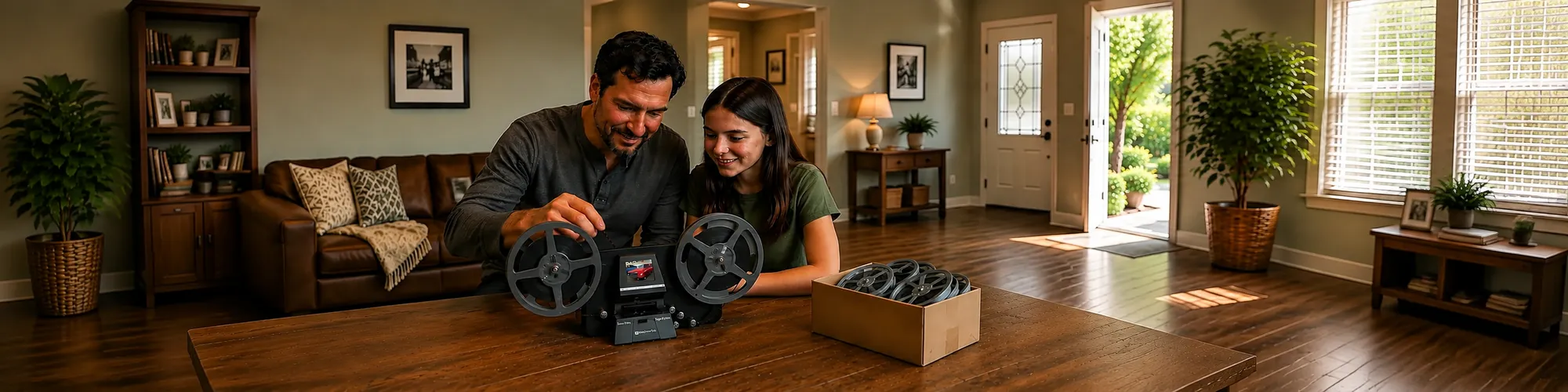
Home film scanners offer a DIY option for converting 8mm reels to digital formats at your own pace.
The KODAK REELS 8mm Film Digitizer Converter has mixed reviews online. Many users say that the machine is relatively easy to use, but it makes a lot of grinding and clunking noises, and the reel arms are kind of flimsy. The reviews differ on the image quality. Some users praise the results of their digital downloads, while others assert that the digital video files were grainy or blurry. Many factors affect the quality of the finished product, but the most important one is the condition of the original film. Several reviews mention that the KODAK Converter works best with pristine film. Users reported that spliced or repaired film strips can get ripped by the machine.
Forever Studios · Boca Raton, FL
Film Digitizing Service
8mm, Super 8, and 16mm reels transferred frame-by-frame to digital.
LEARN MORE →The KODAK REELS 8mm Film Digitizer Converter is worth the investment to digitize your film if you have the time to sit with the scanner as it cannot be left to run unattended. If you have the time, it will do the job. Plan on having another source of entertainment nearby while the scanner runs.
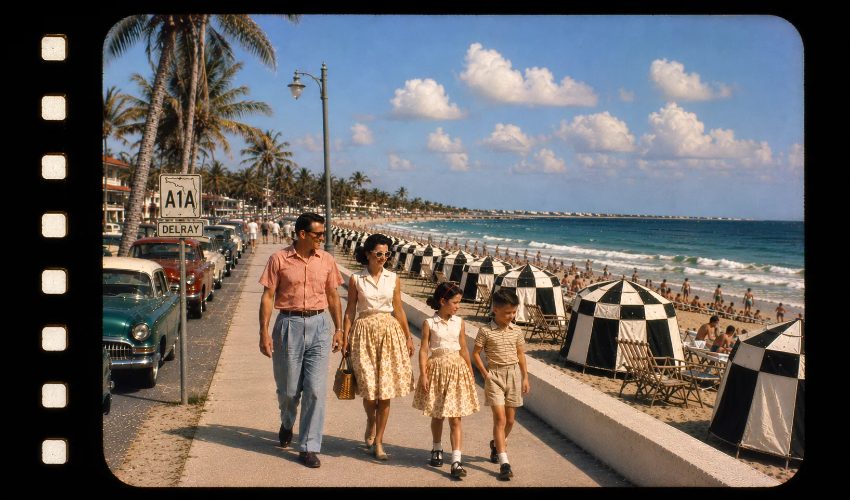
Home movies preserved moments like family beach vacations that would have been lost without proper film conversion.
Picture adjustment is easy for color and frame settings. Picture quality is 1080p but it looks slightly grainy with the sharpness setting at default for low lighted scenes. I use the USB connection to import the files to my PC to then later to edit color and to add titles and such. This unit does a pretty fair job to yield a finished mp4 video file that can be played back on any mobile or PC device.
"Aside from being made with cost-cutting measures, the biggest problem with all of these is they ignore established film industry standards... For the price they charge for these, there is no excuse for that."
The Wolverine Data Film2Digital MovieMaker-Pro
Wolverine Data Film2Digital Moviemaker-PRO – $399.99 (List Price on Wolverine Website and Amazon). The Film2Digital converter is used to transfer 8mm film and also Super 8 film (up to 9″ reel) frame by frame into a digital MP4 movie file. This simple-to-use projector-style film converter contains no frills or extras, yet is able to store your transferred digital movies on a built-in 2.4″ LCD screen, using a 20-megapixel sensor, and an SD card slot. Note: Requires a 32 GB SD Card which is NOT included with the purchase. No audio capability with the Wolverine converter.
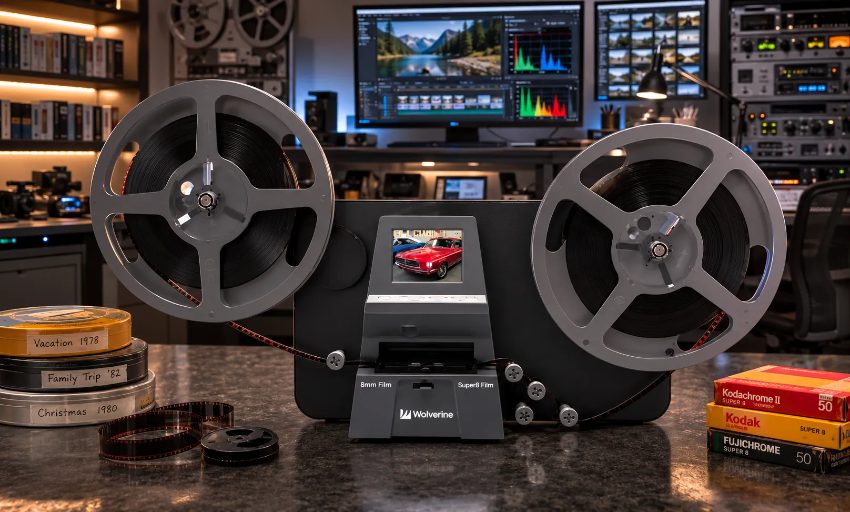
Home film converters offer DIY digitization with automated scanning technology for 8mm and Super 8 formats.
The Wolverine offers minimal extras. If you want to edit your videos beyond slight exposure adjustments, you will need to upload your newly digitized film onto a computer and use video editing software. You are paying the same price as the KODAK Converter and receiving fewer features. The unit does include HDMI output for playback on a TV. Poor-quality film sprockets will bring the machine to a standstill, so it should be babysat to prevent any issues or mishaps.
The Wolverine Data Film2Digital Moviemaker-PRO reviews are mixed on value, image quality, and speed. Some users report decent, well-exposed results, while others complain of grainy output and washed-out colors. Like any personal converter, the video quality depends on the film's condition. If you are new to DIY converting 8mm film to video, expect a learning curve.
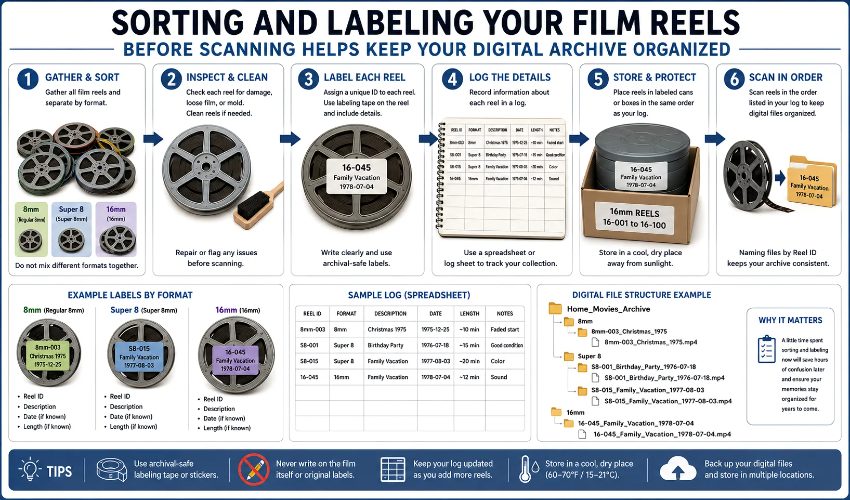
Proper sorting and labeling before digitization ensures your film archive remains organized and accessible for years to come.
The process is not quick, but compared to how long your films sat in a box- it's quick enough. Captured images are sharp and saturated with very good registration, especially for the typical hand held unstable nature of home movies. You will finish the capture in video editing software. There you will adjust frame rate (because silent 8mm film cameras were not accurate), cropping, and saturation.
MovieStuff Film Capture Devices
The RetroScan 8162K Desktop Scanner and the Universal 4K Mark-II Multi-format Scanner can convert color & B&W, positive or negative film using frame-by-frame scanning. Both converters have no image area contacts or sprockets/claws. They also come with a LightPin™ registration. The finished compressed or uncompressed files can be exported in various formats and resolutions such as AVI, MOV, JPG, and others. PNG., BMP., or TIF.
The RetroScan 8162K Desktop Scanner converts both 8mm and 16mm film with 2K resolution. The quiet machine is compact with a 400-foot capacity, built-in film guides for R8.58 and 16mm film, and optical zoom.
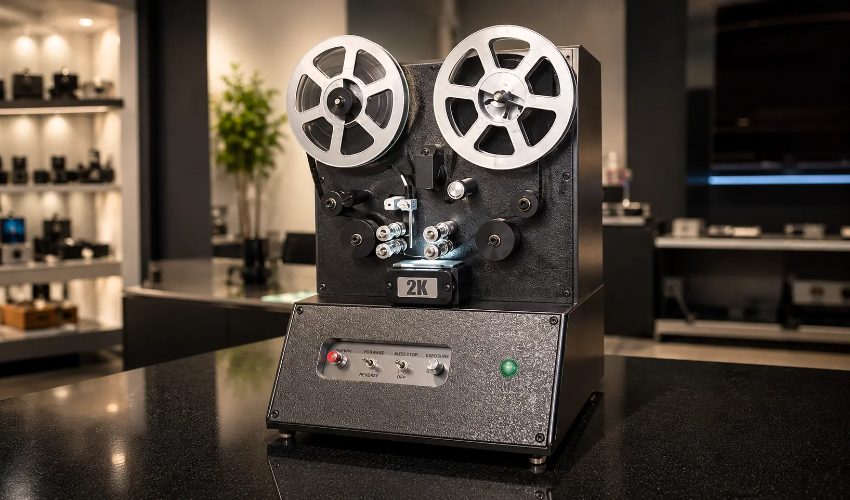
Consumer grade film converters offer accessible options for those looking to digitize family archives independently.
The Universal 4K Mark-II Multi-format Scanner has various programs to choose from. It can convert a more extensive range of film sizes: (Reg 8mm, Super 8, Max8, Span-8, 9.5mm, Reg 16mm, Ultra 16mm, Super 16mm, 17.5mm, 22mm, 28mm, 35mm [2,3,4 perf]) with 4K (UHD) resolution. A Motor Extension is included (2200-foot capacity), and the machine has high-speed rewind.
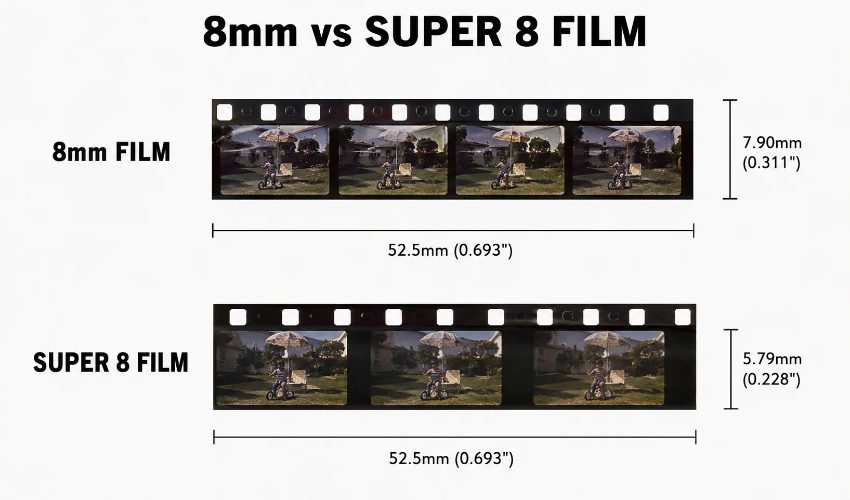
While both formats share the same width, Super 8 film offers a larger frame area due to smaller sprocket holes.
What is the telecine method and how does it work for 8mm film?
The Telecine Method of Capture transfers motion picture film to video. The most common methods are footage projection, telecine transfer by means of a telecine unit, and frame-by-frame transfer.
The lowest-cost approach to this issue is to project the footage and use a home video recorder, such as a Mini DV player or 8mm camcorder to grab the footage on video. This seems like a low-cost solution but remember you get what you pay for. It’s generally very poor quality. Expect lots of angle problems, flicker from different frame rates, poor image quality and lousy color. Many problems with the original film can be revealed in the final cut.
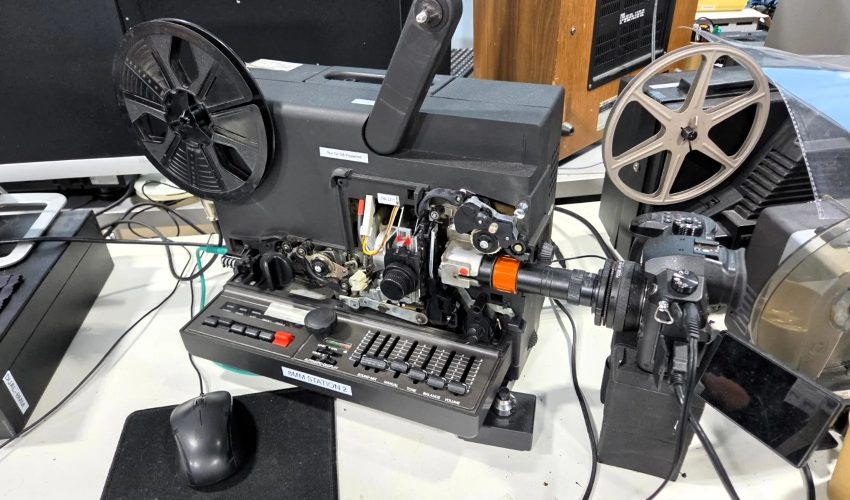
Professional telecine equipment uses optical or digital scanning to transfer analog film frames directly to digital formats.
Simple telecine units consist of a lightproof box with some mirrors, which project the film onto a recording device. The setting up of a telecine is more controlled than shooting with a camera, and there is no angle distortion and less grain than with normal shooting. However, other problems like different frame rates and film damage will affect the final product.
The best way to capture 8mm film is frame-by-frame capture. Although expensive, the risk of damaging the original film is minimal and the end result is of a higher quality than when using the two other methods to capture the film. These methods may deliver low-cost conversion, but they may not provide the best results. It's important to remember that regardless of which method is used, the quality of the digital video can be affected by the type and condition of the film, the quality of the machine, and the skills of the person operating the equipment. For people who want their memories preserved to last for a long time, it may be worthwhile to consider a professional film company like Forever Studios. Can one converter handle both regular 8mm and Super 8 film? The simple answer is no. You do not need a specific digital cor better than with the two other methods for capturing film.
Inexpensive methods to digitally convert your 8mm films may not deliver the best results. The quality of your digitized films will depend on many factors including the type and condition of your films, the quality of the machine that is used to digitize them and the skill of the person using it. If you wish to preserve your precious memories for a long time, it is worth considering that a professional film company such as Forever Studios can do a better job.
Can one converter handle both regular 8mm and Super 8 film formats?
You don’t need to purchase a special digital converter for your Super 8 film. Most of the film converters currently on the market have the ability to convert 8mm film and Super 8 film. It would be a good idea to look for a film converter before you make your purchase to make sure it will convert your Super 8 film. Some of the lower priced models on the market do not have the ability to convert Super 8 film, but there are other options available. Read about the item and the best way to complete the DIY converting of your Super 8 film to digital.
Should you convert 8mm film yourself or hire a professional service?
Capturing and converting your 8mm film to digital format can be a very enjoyable DIY project for some but not for others. There are loads of videos on YouTube and lots of websites that can give you a rough idea of how to capture your precious family films. However, capturing film and transferring it to digital format is not as straightforward as it may at first seem. There are initial costs for equipment as well as lots of time and expertise required to capture each reel of film. There’s also the risk of damage to the film itself as well as the cost of replacing a capturing device should anything go wrong. But for the right person with the right equipment and knowledge, capturing your old films can be a fun and very rewarding experience. Good luck!
"Every reel that comes in is treated with the utmost care as if it were our own family history. Our technicians check each foot of film for splices, brittleness and vinegar syndrome before threading it onto our frame-by-frame scanners. Why? Customers trust us with priceless memories that in most cases were originally created as single, irreplaceable objects. Original film reels remain at the facility throughout the transfer process. Every transfer is checked for quality three times before it ships out." David J., Preservation Specialist, Forever Studios.
Forever Studios has been helping families preserve film and photos since 2007. Our technicians inspect every foot of film before threading it through frame-by-frame scanners, checking for splices, brittleness, and vinegar syndrome. We capture 8mm and Super 8 film at up to 4K resolution using frame-by-frame scanners, ensuring every detail is preserved. Pricing starts at $15 per reel for reels ≤4 inches, $30 for 5–7 inch reels, and $75 for reels 8 inches and larger. Most orders are completed within 2 to 3 weeks, though turnaround varies by media type and season. Rush service is available: next-day processing adds 100%, and five-day service adds 25%. Original film reels remain secure in the Boca Raton facility throughout the entire transfer process. Originals never leave the Boca Raton facility, and every transfer passes through triple quality control, technician review, studio leader approval, and project manager sign-off, before shipping back fully insured. Free pickup is available on orders $250 or more in Palm Beach, Broward, and Miami-Dade counties. The combined review score across Reviews.io, Google, Facebook, and Yelp is 4.9 stars from over 3,900 reviews.
Forever Studios · Boca Raton, FL
Film Digitizing Service
8mm, Super 8, and 16mm reels transferred frame-by-frame to digital.
LEARN MORE →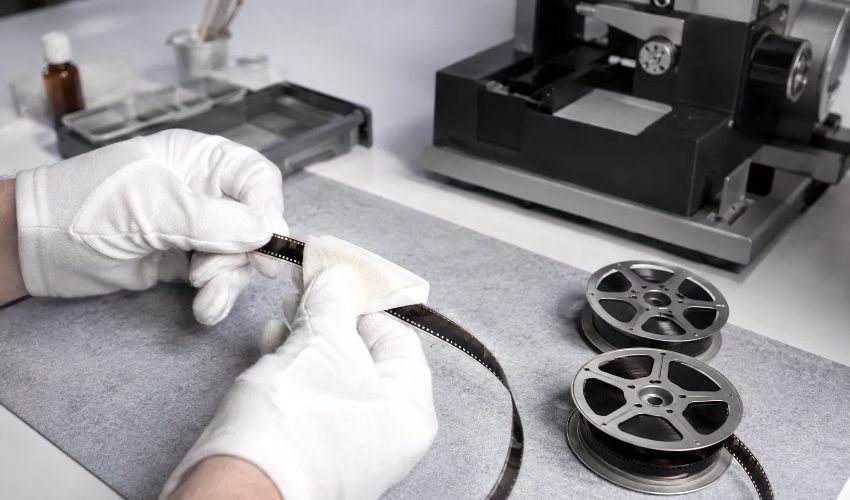
Professional film handling requires specialized equipment and expertise to ensure proper preservation of original footage.
Our 8mm film to digital transfer service offers options at competitive prices for quality work. Your captured 8mm film will be returned to you on Forever Cloud, USB Drive or DVD as preferred. At Forever Studios we aim to make the process as easy as possible for our customers. We have a support team dedicated to dealing with any queries or questions that you may have.
How should you inspect film reels before digitizing them?
Before sending any reel to be scanned, first examine it briefly. Open the canister and smell the film. If it has a sharp vinegar smell, this reel needs to be scanned first as the acetate based film is deteriorating quickly and will continue to do so very rapidly once it starts to deteriorate. Also examine the edges for brittleness. Gently flex a short section of the edge. If it cracks then this film is too brittle for use in a consumer scanner. It is safer to have this film scanned by a professional service that can handle it manually.
Old splices and over-taped sections are a problem on many of the ‘mass-market’ film scanners such as the Kodak Reels and Wolverine models. Re-splice with film tape or get someone experienced to hand-scan the film before it deteriorates in a box over decades. Only a few minutes are needed to carefully inspect a reel of film for such potential problems and to save them from possible destruction. Box.
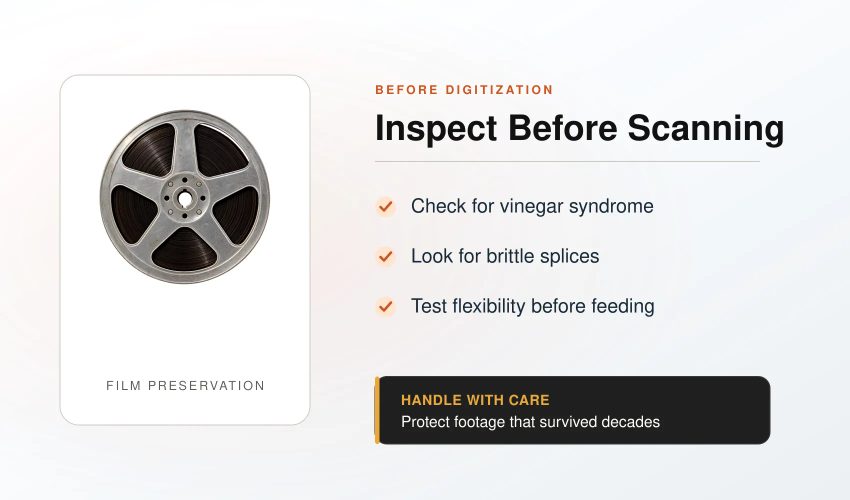
Proper inspection of film reels before scanning helps identify potential damage and ensures successful digital conversion.
★★★★★
"I can't recommend Forever Studios enough. The professionalism and care they put into my request was beyond my imagination. I started with wanting to transfer a 8 mm video to digital as a surprise for my sister. I was very nervous about giving it to anyone because this video was priceless because it was of her son who passed away and I couldn't let anything happen to it. After speaking to Stan and Gaby, my fears were put to ease. They walked me right through the process. So, I thought well if they can do that can they help me with a picture of my younger sister and I that was taken at the fair in the early 70's that got water damage to it. I sent them a copy of the original, a copy of the button that also had the picture and I sent them an AI version from Gemini. They restored the picture to the exact original. I order a printed copy and I will surprise that sister with that photo. Now, I am on a roll. So, while on the phone with Gaby, I presented her with the impossible. My sister (the first one in this review) had a graduation picture that was lost. She posted that picture on Facebook. I downloaded that picture to my phone and sent it to Gaby and asked if they could restore it. What makes it impossible, the picture had 3 wallet size pictures in 3 of the corners of the frame that covered some of the graduation picture. They were able to restore it with no problem. They also took one of the wallet size pictures that was the cap and grown picture and created a 8x10 for me. I was simply amazed at how they were able to tears to my eyes. I wish I could post pictures of the before and after because this review doesn't do them justice on what they can do. I will always refer them and go back for any other needs I may have. Thank you Forever Studios."
Urania W., verified customer review
★★★★★
"I can't recommend Forever Studios enough. The professionalism and care they put into my request was beyond my imagination. I started with wanting to transfer a 8 mm video to digital as a surprise for my sister. I was very nervous about giving it to anyone because this video was priceless because it was of her son who passed away and I couldn't let anything happen to it. After speaking to Stan and Gaby, my fears were put to ease. They walked me right through the process. So, I thought well if they can do that can they help me with a picture of my younger sister and I that was taken at the fair in the early 70's that got water damage to it. I sent them a copy of the original, a copy of the button that also had the picture and I sent them an AI version from Gemini. They restored the picture to the exact original. I order a printed copy and I will surprise that sister with that photo. Now, I am on a roll. So, while on the phone with Gaby, I presented her with the impossible. My sister (the first one in this review) had a graduation picture that was lost. She posted that picture on Facebook. I downloaded that picture to my phone and sent it to Gaby and asked if they could restore it. What makes it impossible, the picture had 3 wallet size pictures in 3 of the corners of the frame that covered some of the graduation picture. They were able to restore it with no problem. They also took one of the wallet size pictures that was the cap and grown picture and created a 8x10 for me. I was simply amazed at how they were able to tears to my eyes. I wish I could post pictures of the before and after because this review doesn't do them justice on what they can do. I will always refer them and go back for any other needs I may have. Thank you Forever Studios."
Urania W., verified customer review
How do consumer scanners compare to professional film transfer services?
There are several ways to transfer 8mm film to digital. Here is a comparison of the various consumer film scanners available as well as the services of the top professional film labs.
How long does it take to digitize a reel of 8mm film?+
A standard 50-foot reel of film contains about 3-4 minutes of footage. This would translate to approximately 20-30 minutes of real-time scanning using a consumer-based film scanner such as the Kodak Reels or Wolverine MovieMaker-Pro. Frame-by-frame, professional scanning services take a lot longer but produce extremely high-quality images. Scanning time and turnaround time vary depending on the media type and time of year, with pricing quoted on a per-order basis.
What is the difference between Standard 8mm, Super 8, and Single-8?+
The first type of 8mm film was introduced by Kodak in 1932 as Standard 8mm. The frames are of very small size, and the film contains sprocket holes on both sides of the frame. In 1965, Kodak also introduced the type of 8mm film called Super 8mm. This film has larger frame size than Standard 8mm, and sprocket holes are on only one side of the frame. The film type called Single-8mm by Fujifilm has the same frame size as Super 8mm, but it is stored in a different type of cartridge. Both types of film can be read by modern consumer scanners without any special equipment.
What resolution should I scan 8mm film at?+
1080p (Full HD) would be the minimum resolution we would recommend for scanning 8mm film. 8mm film typically contains around 800 to 1000 lines of resolution, so 2K would be the ideal resolution to capture all of the detail and still keep file size under control. Some of the professional scanning services out there do 4K scans of 8mm film, but the difference between 2K and 4K for standard 8mm film is only marginal, and that is primarily due to the film grain.
Ready to digitize it right the first time?
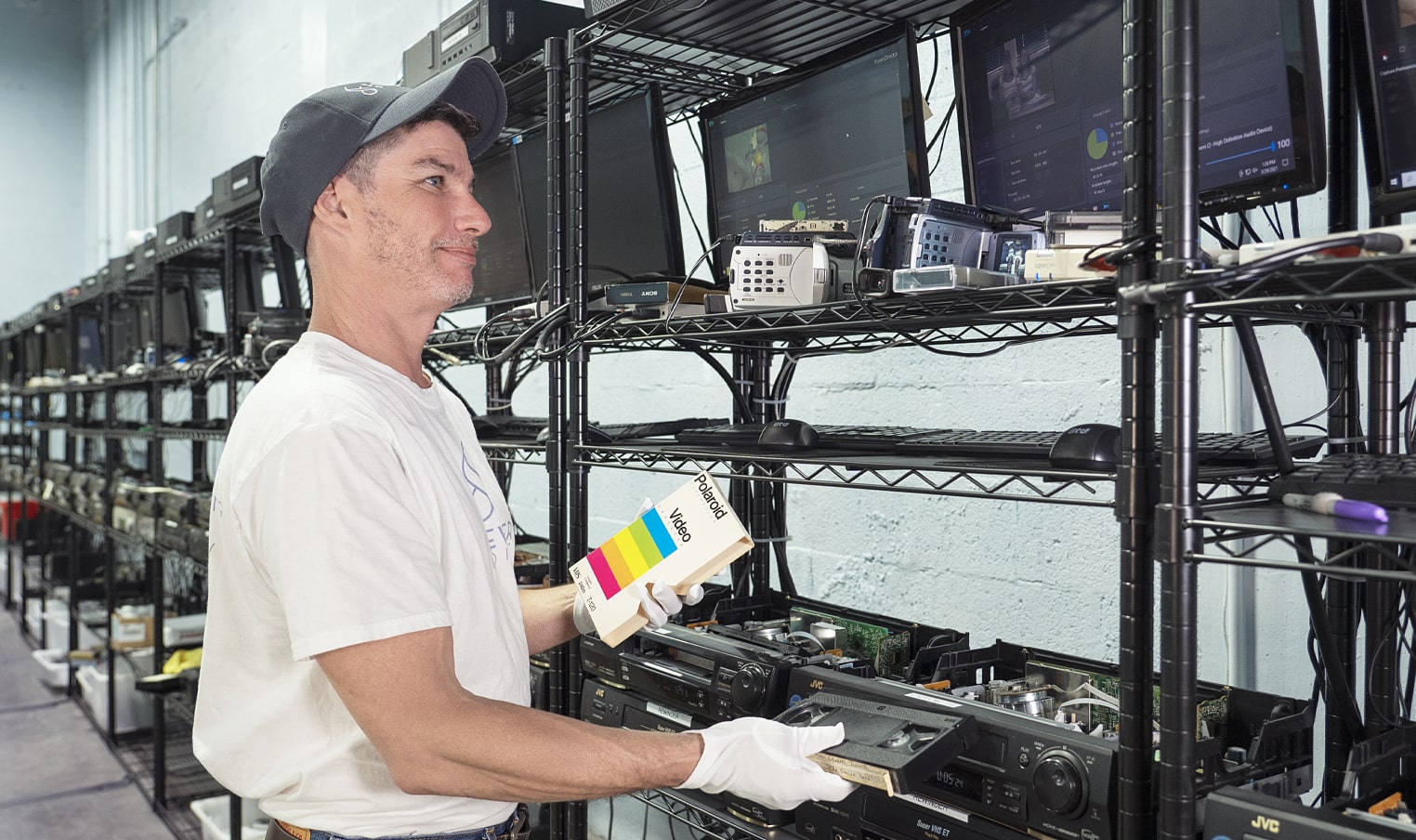
Bring your tapes, film, and photos to the team that treats every project as irreplaceable. All work is handled in-house in Boca Raton, never outsourced.