DIY App, Mail-in Kit, or Local Studio: What Photo Scanning Actually Costs and What You Get
Compare phone app scanning, mail-in services, and local professional studios -- what each costs, what DPI you actually get, and when each option is the wrong choice for your photos.
Contents
Last updated: May 2026 | Author: Zachary Goldberg, Founder, Forever Studios
Price for photo digitization can range from $0 for a free phone app to $500 or more for large numbers of photos professionally scanned. There is a lot of difference between these three options and choosing based on lowest price can lead to some very poor decisions for your photos.
Quick Answer
Phone apps cost nothing but capture photos at the equivalent of 150-200 DPI, suitable for sharing but not restoration or large prints. Mail-in kits typically run $0.12-$0.50 per photo at 300-600 DPI with minimal individual handling. Local professional scanning runs higher per photo but includes quality control, handling of fragile originals, and resolution appropriate for restoration work.
The biggest mistake people make when it comes to photo digitization is choosing a service based on the lowest price. At Forever Studios, a professional photo and video preservation studio in South Florida, we regularly see photos come in that were previously scanned by a mail-in service, because the files came back too small to enlarge or restore. The original photos exist. The digital copies exist. But the job has to be done again because the first scan did not capture enough detail. That is the real cost of picking based on price.
The question is not which method costs less. The question is what are you scanning these photos to do with them.
How Much Does Photo Scanning Actually Cost?
The cost to digitize photos for photo scanning can range from nothing for a free smartphone app to hundreds of dollars for scanning large collections of old photos professionally at a photo scanning studio.
Phone apps (Google PhotoScan, Microsoft Lens, Photomyne): Free or $5-$15 per month for premium versions. You do the work. Speed is the main advantage. Some apps offer additional features for a fee, including a larger amount of cloud storage online.
Mail-in services (Legacybox, Southtree, ScanMyPhotos): $0.08-$0.50 per photo depending on volume tier and resolution option. The most common way that mail-in services are priced is by the box. The cost per photo will typically decrease as the number of photos in the box increases. For example, a service might charge $0.12 per photo to scan a box of 100 photos, but only $0.08 per photo to scan a box of 500 photos. The most common quality setting for these types of services is 300-600 DPI per photo.
Local professional studio: The cost of getting your photos digitized at a local professional studio can also vary depending on the lab. At Forever Studios, photo scanning starts at $0.50 per photo at 300 DPI, with 600 DPI and higher resolutions available for restoration candidates. The per-photo price is higher than mail-in, but the handling, quality control, and DPI are a different category of service.
The numbers tell you something, but they don't tell you enough. The more useful question is: what are you scanning these photos to do with them?
What Can You Actually Do with a Phone Scan?
A lot. When we are photographing an object or printed photo, we would typically take the photo straight on to the object. But when scanning a printed photo with a phone, the camera is slightly off-axis from directly above the center of the photo. In addition, the ambient lighting in the room where the printed photo is being scanned will introduce glare to the surface of glossy photos. The effective resolution of a printed photo scanned with even a very powerful phone camera will typically fall in the range of 150-200 DPI. A 4x6 photo scanned at 150-200 DPI would be around 600x900 pixels. This is sufficient for viewing on your phone and sharing on a computer, but not sufficient for reprinting the same photos at a larger size, or for using in photo restoration. If you want to understand this comparison in more depth, see our article on whether to scan or photograph old photos.
Resolutions captured this way are great for Internet use, sharing with family and friends, and viewing on phones and tablets, but not ideal for printing larger copies. When a printed image is scanned at low resolution (low DPI) and then reprinted in a larger size, the resulting printed copies appear to have been blown up in poor quality. Scanning a 4x6 printed photo at approximately 150 DPI and then re-printing in 8x10 will result in printed photos that do not have sufficient detail. These types of images also lack sufficient detail for photo restoration software to work with.
Phone scanning is the right choice when speed matters, the originals are in good condition, and the photos will live primarily on screens. It is not the right choice when you want to enlarge, restore, or archive photos for long-term use.
What Does a Mail-in Service Actually Do with Your Photos?
The mail-in photo scanning services are volume-based businesses, designed to handle large numbers of photos. This means that they are processed in batches, one after another, in a sequential, linear fashion. They are best suited to be cost effective when processing in large batches.
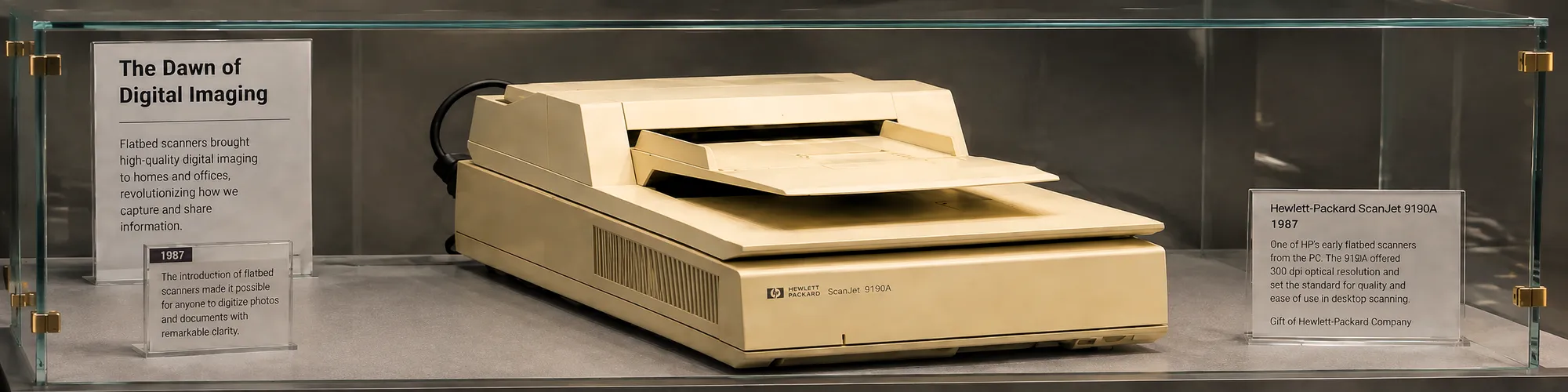
Most of the larger mail-in photo scanning services use flatbed scanners that run from 300 DPI up to 600 DPI for color photos. Scanning a 4x6 color photo at 600 DPI would result in a 2,400x3,600 pixel image, or about 9 megapixels. This type of scanned image would be more than sufficient for reprinting the scanned image back to the original size. The resulting images can also be used with some of the most basic AI-powered photo restoration tools.
What you are not getting is individual attention. Photos are processed as part of a batch. There will be occasions where the edges of a scan are cropped. Some photos may be placed on the flatbed in a position that does not allow for them to be scanned perfectly square. Prints that have developed cracks with age will be treated with the same amount of care as if they were crack free, meaning problem photos pass through without a second look. If you want to understand the quality difference in detail, read our guide to choosing the best photo album scanning service.
Mail-in is a good choice for photos that are in decent shape when you have a small to moderate number (less than 300). Each photo will be scanned on a flatbed scanner at 300-600 DPI and you will have good quality copies. So if you have photos that are stuck together, are warped, are damaged in some way, or have suffered water damage, a mail-in service is not for you.
What's Different About Scanning at a Local Studio?
Unlike scanning large numbers of photos to upload to a database as a preservation service, Forever Studios treats every photo with care and makes decisions on a photo by photo basis. We take great care when handling extremely fragile photos. Photos that show signs of fading or significant damage get flagged for our team of experts who specialize in preservation quality photo restoration.
At Forever Studios we take every photo individually and place it on the scanner bed and align it to the edges of the scanner to get the best scan possible. We have experience scanning very fragile prints that cannot be placed on a flatbed scanner with a press on it. We have also been able to scan photos with fading and pass them along to our restoration team for repair before scanning. We also offer scanning of slides, negatives, and other small prints at 1200 DPI and higher for future restoration. The Library of Congress recommends preservation scanning of color photographic prints at a minimum of 600 DPI, but recognizes that higher resolutions may be needed for prints that are to be restored.
There is also the risk that your original photos could get lost in the mail when you are sending them to a scanning service. Although this is not common, it is something that you should not have to worry about when it comes to your precious photos. By having your photos scanned at a local scanning service you can rest assured that your photos will be safe and that you will have them back in no time.

Photos with fading, water damage, or fragile surfaces need hands-on handling. A batch operation is not designed to make those decisions.
"The most common situation we see is photos that were scanned at 300 DPI by a mail-in service, and then the family wants to restore one or enlarge it for a frame. There is not enough detail in that file to work with. We end up rescanning the original, which means the customer is paying for the job twice."
-- Zachary Goldberg, Founder, Forever Studios
What Resolution Do You Actually Need?
When deciding on the quality of a photograph to scan it is important to consider the technical specifications of the scan (DPI). The amount of detail in the photograph is crucial when deciding to scan it for preservation purposes. For a standard 4x6 print the following are typical specifications:
- 300 DPI: a 1,200 x 1,800 pixel file (about 2 megapixels). Great for making prints the same size as the original photograph but not for making larger prints.
- 600 DPI: a 2,400 x 3,600 pixel file (about 9 megapixels). Large enough to print at 8x10 and larger, and sufficient for most photo restoration processes.
- 1200 DPI: a 4,800 x 7,200 pixel file (approximately 35 megapixels). Typically used for slides, negatives, and prints in very poor condition that require restoration. The amount of detail captured will allow for large prints to be produced from the restored images.
Research from Wilhelm Imaging Research indicates that for most photographic prints, 600 DPI is the upper limit of useful information that can be scanned from the print. Beyond that point, you are recording the texture of the paper rather than recovering more of the image. Slides and negatives are generally smaller originals and as such are scanned at 1200 DPI or higher, depending on the type of scanner being used.
The takeaway: if you are scanning to share, 300 DPI is probably fine. If you are scanning to preserve and potentially restore, 600 DPI is the minimum. If you are scanning slides or negatives, use 1200 DPI or higher.
When Does the Scanning Method Actually Matter?
Here is the practical guide:
Use a phone app when: you have a small number of photos you want to share quickly, the originals are in good condition (not stuck together, wet, or damaged), the photos are going to be viewed on screens, and you are not planning to restore or enlarge them.
Use a mail-in service when: you have a large volume of prints in average condition, you want 600 DPI output at a lower per-photo price than a local studio, your originals can safely survive shipping, and you do not need quality control at the individual photo level.
Use a local professional studio when: you have fragile, damaged, or stuck-together originals, you are planning to restore any of the photos (the scan becomes the source material for the restoration), you want someone to flag issues rather than just process through them, or you prefer not to ship irreplaceable family photos.
The methods and techniques employed for one set of photographs will not apply to another. A 200 print collection comprised almost entirely of 1980s snapshot quality photographs in very good shape would require a very different approach than a 100 print collection from the 1940s with numerous photos with water damage and surface scratches.
What to Look For When Comparing Services
A few questions worth asking before you commit:
What DPI do they scan at? This should be stated clearly. If a service is vague about resolution, that is informative. Forever Studios scans photographs at 300 DPI as the standard, with 600 DPI and higher available for slides, negatives, and restoration candidates.
What format are the files? High quality scans are delivered as JPEG or TIFF files. If a service gives you low-resolution JPEGs, you will know.
How do they handle fragile originals? This is a critical question that every reputable service will be able to answer for you. Any service worth using should have a clear answer to this.
Do they scan slides and negatives? Not all services do, and the equipment required is different from print scanning. Most photo scanning services do not have the necessary equipment to scan film.
What happens if something goes wrong? These services can vary quite a bit in their accountability. It is worth reading the fine print, especially when you are shipping irreplaceable originals.
At Forever Studios, we have been scanning South Florida families' photos for years. We are a professional photo and video preservation studio that handles everything from standard prints to deteriorating originals to decades-old film negatives. We also handle genealogy documents and photo scanning for families tracing their history. If you have a collection you are trying to figure out what to do with, we are happy to walk through it with you before you commit to any approach.
You can see what other families in South Florida have experienced by visiting our detailed comparison of Google PhotoScan vs. professional photo scanning, which covers the quality gap in more technical depth.
Ready to digitize it right the first time?
Bring your tapes, film, and photos to the team that treats every project as irreplaceable. All work is handled in-house in Boca Raton, never outsourced.