Online Photo Color Transformation: Edit Images with Ease
Transform your photos online effortlessly with our color editing tips. Quick, easy, and effective image color adjustments at your fingertips.
Contents
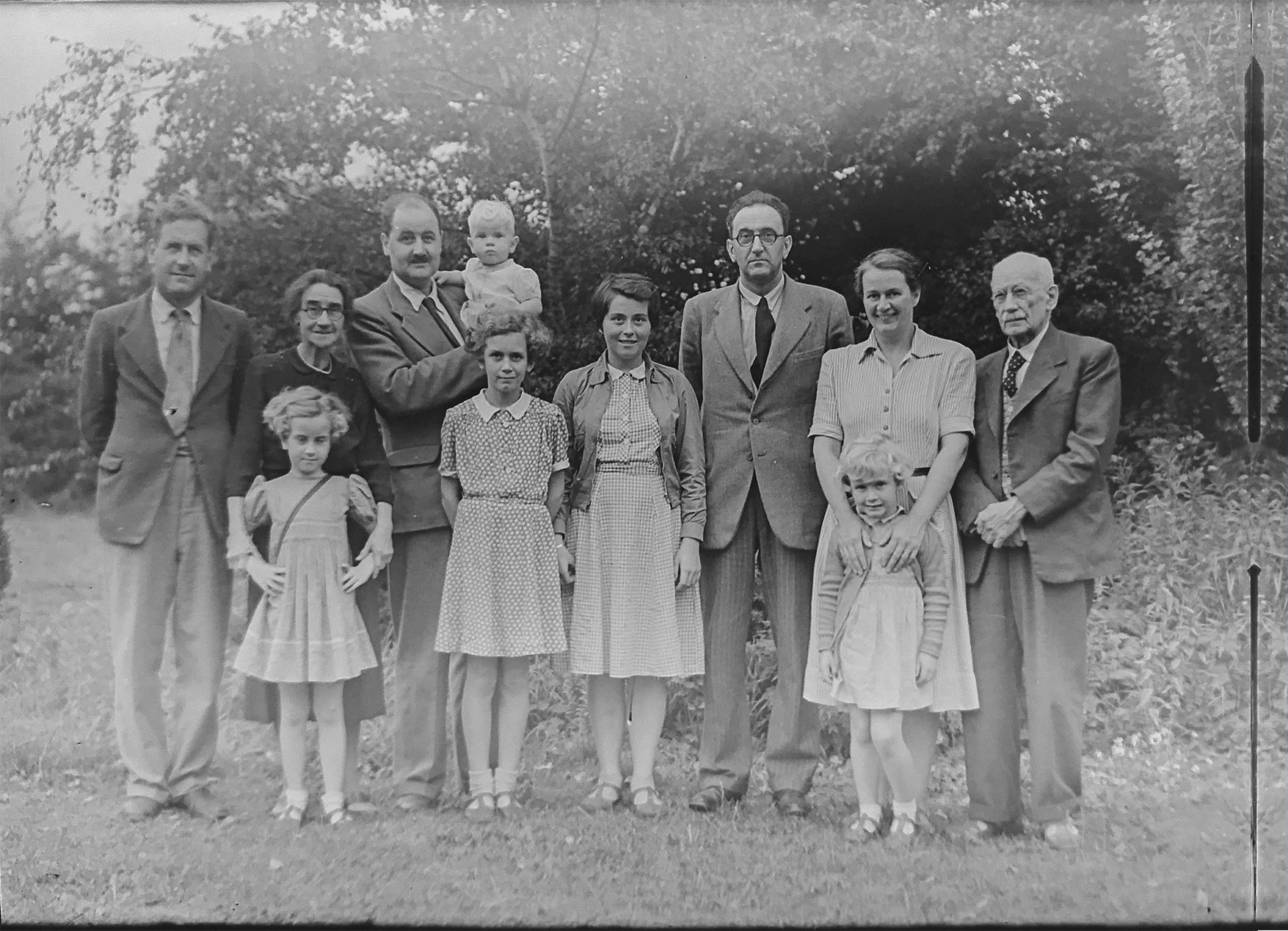
Here's one of my favorite sayings: photographs are windows into the past. I know, I know. That was extremely sappy, but let's put it this way: there's something special and nostalgic about seeing a time gone by, whether you were there to see it in person or not. From sepia-toned snapshots to black-and-white vintage photos, adding some vibrant color allows future generations to see the past like it might have been.
Breathe New Life Into Old Photos.
With artificial intelligence, the once time-consuming task of photo colorization is accessible to everyone, offering a seamless blend of technology and artistry. So here are the questions you're here for: what are the best online photo colorization software, and how do they work?

Black & White Photos
THINGS TO CONSIDER: SOFTWARE BASED VS. PROFESSIONAL WORK
Choosing the best one can be difficult. Some have user-friendly interfaces, while others have more complicated software that require more technical skill. That aside, you must always be conscientious about the quality of the finished photo. I don't know about you, but I don't want to spend money on a photo colorization app that doesn't meet my expectations.
Personally, if I am dealing with something that means a lot to me like a faded family photo, I would rather go to a professional photo colorization service like Forever Studios that must adhere to industry standards than trust an online AI program, but I digress.

Re-colorization by Forever Studios
What is AI-based Online Photo Editing Software?
AI-based online photo editing software uses artificial intelligence to simplify the photo editing process. With advanced algorithms that analyze and interpret an image's content, the programs guide users through complex tasks like background removal, color correction, white balance adjustment, object erasure, and the application of other artistic effects with beginner-friendly tools.
With photo editing apps and online software like Pixelied, adjustments such as tweaking color intensity or swapping out colors with a color tool are easy and quick tasks for anyone. These programs take a good scientific guess as to how a black-and-white picture is supposed to look with color and then slap it on.
Obviously, there's more technical jargon involved, but that's the long and short of it for the average user. No extensive technical knowledge of traditional software (i.e., Adobe PhotoShop) or user experience is needed, and most results are decent.
A NOTE FOR THE NEXT FEW SECTIONS:
The black-and-white digital image that I put through the editing programs is not a stock image, it was taken by me. It was taken later in the afternoon, so the image’s original vivid colors were bathed in warm sunset tones, and the sky was vaguely purple. Other black-and-white images (i.e., different landscapes or portraits) might have different results in each photo editing program.

Black-and-White Image vs. Original Image
Cutout.pro Photo Color
Make your photos colorful with Cutout.pro!
OVERVIEW:
Cutout.pro photo color is an AI-based online photo editor. The mobile app, Vivid, has preset filters, a colorization feature, and much more. The website uses algorithms to add color to old, black-and-white photos by analyzing millions of photos to add "natural and realistic colors." The program is very easy to use and straightforward.
HOW TO USE CUTOUT.PRO:
Just drag and drop photos and let the website generate the results. I had some issues with uploading photos, and I'm unsure why. According to the Cutout.pro photo color website, JPG, JPEG, WEBP, and PNG format files with no more than 16 megabytes are supported. The image I tried to upload was a JPEG, yet the website gave me a "file format not supported" error.
COST:
A user gets 2 free scans without signing up and 5 free credits by signing up. Users have two options: buy credits via a monthly subscription or pay as you go without subscribing. With the subscription, credits cost approximately $0.099 each and roll over monthly. The pay-as-you-go option costs approximately $0.499 per credit and lasts until they are used. Downloading a 500 x 500 preview image is free, but a 1280 x 1280 full image costs 2 credits.

Black-and-White Image vs. Re-colorized Photo Via Cutout.pro
REVIEW:
I'll be honest: the re-colorized photo is not my favorite. If you look closely enough, they look blurry. Compared to the original photo, many details have been washed out, the color balance is off, and the lines aren't as enhanced. Everything from the background color to the sand on the beach looks blue and dull. Cutout.pro photo color is fine for quick photo editing, but the results aren't professional. So, is it worth it? For me, no.
Hotpot AI Photo Colorizer
OVERVIEW:
Hotpot is a very popular online photo editor website. They offer a wide range of editing tools, including but not limited to Black-and-White photo colorizing. The program builds on the DeOldify project and the latest techniques in deep learning. I do appreciate that the website admits that there is a learning curve to the AI program. Predictive color-correcting AI can be wrong and often is.
HOW TO USE HOTPOT:
The process is relatively simple: upload a photo, choose the "coloration" factor, pick the size (either limited or full), and then let the website do its thing. In all honesty, I have no idea what the coloration factor is (there is no explanation of what each one is supposed to change or focus on). I played around with the different options and saw very little difference between them.
COST:
Full disclosure: I paid for credits. For a one-time use, credits are expensive, at least for me. The cheapest payment is $12 for 1000 credits. A user can also pay monthly or yearly for credits. Like most subscriptions, there is a pay scale, depending on how much you want to pay and how many credits you need. If you want to download a full-size photo, it will cost you 25 credits. Using Hotpot recolored photos for commercial purposes will cost credits. Non-commercial, limited-sized photos are free, really small, and blurry.
REVIEW:
As I previously mentioned, there aren't many differences between the different coloration factors, but they are there. To make things easier, I'm only including two of them.

Black-and-White Image vs. Number 12: Re-colorized Photos Via Hotpot

Black-and-White Image vs. Number 25: Re-colorized Photos Via Hotpot
It’s subtle, but there are differences between the two. The rocks in number 25 have highlights, while the rocks in the other photo are significantly darker.
IMG2GO
OVERVIEW & HOW TO USE IMG2GO:
IMG2GO offers a wide range of editing tools to alter photos. To use the colorizing photo editing program, a user has to upload a faded or Black-and-White image, select an AI training model (nature and people or generic), and choose a set render factor between 7 and 40).
The AI training model can improve the final image depending on the original photo's subject(s). The set render factor determines the quality of the final image. After the finished image is ready, a user can preview the photo before downloading or transferring it into one of the other IMG2GO editing tools (i.e., the AI Creator Studio).
COST:
Basic tasks are free, and there are four paid options: starter ($6.50 /month), pro ($22.25 /month), ultimate ($68.50 /month), and enterprise (custom pricing). Each paid option offers an increasing number of credits and unique features. New users get 10 free credits to try the premium tools.
REVIEW:
I chose only two of the forty set render factors for this editing program, 7 and 40. I wanted to showcase the distinct difference between the two, and quite frankly, it's pretty darn obvious.

Black-and-White Image vs. Number 7: Re-colorized Photo Via IMG2GO

Black-and-White Image vs. Number 40: Re-colorized Photo Via IMG2GO
Fotor: Colorize B&W Photo
OVERVIEW:
Out of all the AI-based online photo editing software I have researched for this article, Fotor reminds me the most of an Adobe Creative Cloud program without actually being one. The online image editor has so many powerful editing tools; I'm kind of surprised at how easy and user-friendly it is. I'm very picky when it comes to photo editing programs, but I actually like Fotor because it has features none of the others on this list have, like selective color adjustments (i.e., saturation).
HOW TO USE FOTOR:
A user must upload a Black-and-White photo, choose which AI tool to use, and let the program do all the heavy lifting. Word of advice: Be sure to turn off the photo restorer option; otherwise, you'll get some funky results.

Funky Results
COST:
I have one bone to pick with Fotor. The website made me sign up for the Fotor Pro Annual Plan before I could download a photo. After the three-day free trial period, I would have been charged $39.99 annually. No lie, that's kind of expensive. The Fotor Pro+ is $89.99. Of course, paying for the premium subscription provides users with a wide range of perks like unlimited access to advanced tools, customizable templates, no watermark, cloud storage, etc.
REVIEW:
The colorized photos from Fotor are my personal favorite out of all the AI programs. I even messed around with some of the additional features to try and recreate the original images' colors. After a few simple steps, the results are quite pretty.

Black-and-White Image vs. Re-colorized Photos Via Fotor

Black-and-White Image vs. Re-colorized Photos Via Fotor w/ Changes to Saturation, Temperature, & Tint
Professional Photo Colorization with Forever Studios.
Ready to give your photos new life? Go to the Forever Studios website!
OVERVIEW:
Forever Studios' team of trained professionals will make the advanced edits needed to make your precious memories look like they belong in the 21st century! Our art team can make your old photos look brand new in as little as 24 hours. If you aren't satisfied, you get unlimited revisions. You can choose to receive digital downloads only, archival photo prints, or photo art keepsakes (customizable frames) per image.

Re-colorization by Forever Studios’ head artist, Oxana
Review Part 1:
I might just be biased, but Oxana did an amazing job. The color isn’t just slapped on top of the image. She deliberately added color without losing any of the important details. I mean, look at the rocks! You can actually see them clearly. The image is colorful without looking over saturated or unrealistic.
HOW TO START YOUR NEXT PROJECT ONLINE:
Go to our website (the link is above) and click on the “Start My Project” button.
Option 1: Upload your photos directly to the website.
-
Select the package for each image.
-
Upgrade to our head artist, Oxana
-
Add to cart and pay online.
Option 2: Email your photos to us.
-
Select how many photos will be sent and the package for each image.
-
Upgrade to our head artist, Oxana
-
Add to cart and pay online.
Option 3: The Home Ship Kit
-
Select how many photos will be sent, what kind they are (i.e., prints, glass, or rolled), the size of the largest photo, and the package for each image.
-
Upgrade to our head artist, Oxana
-
Add to cart and pay online.
COST:
Projects start at only $55 per image (the home ship kit option is an additional $20). That includes photo restoration, unlimited revisions, and digital downloads! I know that might seem expensive, but you get a high-quality result, guaranteed.
Reviews:
Look, I'm biased. I work for Forever Studios. Any review I write for them will seem disingenuous. So, don’t take my word for it. Here a few testimonials from our awesome clients:
“It is like getting one’s youth back. As one ages, and the years pass by, we often tend to forget the happy times growing up. By restoring and even improving the quality of old photographs, you help bring a fresh perspective to old memories.”
- Barry
“Picture quality was very sharp and clear. Fast turnaround. Reasonable prices. Will definitely use [them] again. Thank you.”
- Robert
“I was extremely satisfied with the end result. The photo was in Black & White of my ancestors. There were a total of eleven, [of] which only one is still with us. The photo in color is impressive. I was a doubter and Forever Studios made me a believer!”
- Mda

Re-colorization by Forever Studios
Final Thoughts
I hope this deep dive into some of the most popular AI-based online photo editing software was helpful. If you want a quick and easy edit, Fotor is the best AI I've found. That being said, it may not be financially beneficial for most users. For a cheaper option with decent quality, go with IMG2GO. If you don't want to use AI editing or need professionally edited photos, a solid option is to go to Forever Studios for photo restoration and colorization. You will be amazed at how fast, easy, and affordable the process is to revamp your vintage photos.
Ready to digitize it right the first time?
Bring your tapes, film, and photos to the team that treats every project as irreplaceable. All work is handled in-house in Boca Raton, never outsourced.